

Custom e-commerce platforms: when to replatform and how to plan an AI-ready store
Off-the-shelf e-commerce stops fitting when workarounds cost more than the platform saves: manual order handling, integrations held together by exports, and features the platform cannot express. Plan a custom build or replatform by choosing the architecture, mapping integrations, controlling migration risk and costing the drivers, and make the new platform expose the clean catalog and order data AI needs.
Book a solution review See the related serviceBy Netbase Commerce and Platform Engineering Desk · Reviewed by David (CEO) · Updated · 17 min read

This guide is for e-commerce managers, founders and technology leaders at retailers and brands whose store has outgrown its first platform. It helps you decide whether to stay, extend, replatform or build, judge each option on the AI features buyers now expect, and plan the move without losing data, search rankings or revenue. It draws on Netbase's delivery of commerce on WooCommerce, Magento 2, Laravel and headless architectures.
In this guide
- Signs your store has outgrown its platform
- Stay, extend, replatform or build: the four options
- Architecture options compared
- Integrations: map them before you choose
- AI as a platform selection criterion
- Replatforming risks and how to control them
- Replatforming checklist: go-live gates
- What drives cost and timeline
- How to compare vendor proposals
- A planning roadmap
- Decision checklist
- Proof from delivered work
- Limitations of this guide
- Frequently asked questions
- How this guide was made
- Next step
Signs your store has outgrown its platform
Every platform fits well at the start. The question is when the cost of working around it overtakes the cost of changing it. These are the signals worth tracking, with the fix that usually follows.
-
Manual order handling
- What it looks like day to day
- Staff copy orders into the ERP or warehouse system by hand
- Usual response
- Integration first; replatform only if the platform blocks it
-
Extension sprawl
- What it looks like day to day
- Dozens of apps or plugins, some overlapping, some conflicting
- Usual response
- Consolidate; replatform if conflicts keep breaking releases
-
Features you cannot express
- What it looks like day to day
- Configurable products, B2B price lists, subscriptions or bundles that the platform fakes
- Usual response
- Extend if the platform allows it cleanly; custom build if not
-
Performance you cannot fix
- What it looks like day to day
- Slow pages under catalog growth or traffic peaks, despite caching
- Usual response
- Architecture change, often a replatform or headless front end
-
End of support
- What it looks like day to day
- The platform version stops receiving security fixes
- Usual response
- Replatform on a supported version or product
-
Channel growth
- What it looks like day to day
- A marketplace, a B2B portal or new markets each need their own site
- Usual response
- A shared commerce core with several front ends
-
Upgrade fear
- What it looks like day to day
- Every platform update breaks custom code, so updates are postponed
- Usual response
- Refactor custom code out of the core, or replatform
-
AI features out of reach
- What it looks like day to day
- AI search, recommendations or catalog enrichment need data the platform will not expose
- Usual response
- Extend through APIs first; replatform if the data stays locked
One signal alone is rarely a reason to replatform. Three or more at once, especially end of support or features you cannot express, usually are.
Stay, extend, replatform or build: the four options
Before comparing technologies, decide how big the change needs to be.
- Stay and optimise. Fix performance, remove unused extensions, improve checkout and search. Cheapest and fastest; right when the platform's model still fits your business.
- Extend. Add integrations and custom modules to the platform you run. Right when the core fits and the gaps are at the edges: ERP sync, a product configurator, B2B pricing.
- Replatform. Move to a different or newer commerce platform, carrying your data, URLs and features across. Right when the platform itself is the constraint, or when its version is reaching end of support.
- Build custom. Build the commerce layer on an application framework, or assemble a headless and composable stack. Right when your business model is the product: unusual pricing, marketplace mechanics, deep workflow integration or several channels on one core. If the platform will serve many merchants as a subscription product, the SaaS platform engineering guide covers tenancy, billing and operations.
Most businesses should move one step at a time. A replatform that also redesigns the brand, rebuilds the catalog and changes the ERP is three projects sharing one deadline.
Architecture options compared
Netbase delivers commerce on WooCommerce, Magento 2, Laravel and headless commerce, and works with a wider stack that includes PrestaShop, OpenCart, Shopware, CS-Cart, Shopify, Salesforce, Akeneo, Odoo and Symfony. The table compares the architecture families rather than products, because the family decides most of the trade-offs.
| Architecture | Strengths | Trade-offs | Choose it when |
|---|---|---|---|
| Hosted SaaS commerce (for example Shopify) | Fast launch, managed hosting and security updates, large app ecosystem | Limits on checkout, data model and custom logic; recurring app costs | Standard retail flows, small team, speed matters most |
| Open-source platform (for example WooCommerce, Magento 2, PrestaShop, Shopware) | Full code access, mature commerce features, many extensions | You own hosting, upgrades and security; extensions can conflict | You need control and custom features on a proven commerce core |
| Custom build on a framework (for example Laravel or Symfony) | Exactly your data model and workflow; no platform limits | Everything is yours to build and maintain, including standard commerce features | The business model does not fit any platform's assumptions |
| Headless or composable | One commerce core serving several front ends; best-of-breed services | More moving parts, more integration work, needs strong engineering ownership | Several channels, markets or experiences share one catalog and order flow |
Two cautions. Headless is an architecture, not a cure: it adds value when you have several front ends or demanding experiences, and adds cost when you do not. And a custom build still needs standard commerce features such as tax, promotions, returns and customer accounts; price them in, rather than assuming they come free. Print businesses face extra layers on top of these choices, such as an online designer, prepress and production routing; the web-to-print platform guide covers them.
Integrations: map them before you choose
In most replatforms, integrations, not the storefront, decide the timeline. List every system the store exchanges data with, and decide which system owns each piece of data.
-
Products and attributes
- Typical source of truth
- ERP or a product information system such as Akeneo
- What the store needs
- Catalog, attributes, media and translations
-
Prices and customer price lists
- Typical source of truth
- ERP
- What the store needs
- Current prices, contract pricing, promotions
-
Stock
- Typical source of truth
- ERP or warehouse system
- What the store needs
- Near real-time availability by location
-
Customers and accounts
- Typical source of truth
- Store, CRM such as Salesforce, or ERP
- What the store needs
- Accounts, addresses, B2B company hierarchies
-
Orders
- Typical source of truth
- Store, then ERP such as Odoo
- What the store needs
- Order creation, status and invoices
-
Payments
- Typical source of truth
- Payment provider
- What the store needs
- Authorisation, capture, refunds
-
Shipping and tax
- Typical source of truth
- Carrier and tax services
- What the store needs
- Rates, labels, tracking, tax calculation
Three rules make integrations survivable. Give every data object one owner, so two systems never overwrite each other. Prefer events and APIs to nightly file exports where timing matters, such as stock. And decide what happens when a connected system is down: queue, retry or block the order. Decide separately who builds the integrations: agency, in-house or platform.
Payments deserve their own decision. PCI DSS, the payment card industry's data security standard, applies to entities that store, process or transmit cardholder data. Hosted payment pages and tokenisation from your payment provider keep card data off your servers and reduce the part of your platform the standard reaches. Choose that design before build, not after.
AI as a platform selection criterion
Shoppers now expect search that understands intent and recommendations that reflect what they browse and buy. Merchandising teams expect help writing and enriching thousands of product records. None of this depends on the storefront theme; it depends on whether the platform gives AI services clean data and open APIs. Judge every option on these five capabilities.
- AI search. Search that handles synonyms, typos and natural-language queries needs structured attributes and an index the platform can feed in near real time. Check whether you can replace or extend the built-in search.
- Recommendations. Related, frequently bought and personalised suggestions need order history and browsing events. Netbase delivered a recommendation engine for the 4over4 online printing store; engines of this kind learn from a store's own order and browsing data.
- Catalog enrichment. AI can draft product descriptions, attributes, alt text and translations. A merchandiser approves each record before it is published, so the platform or product information system needs a review status, not only an import.
- Artwork and file automation. For personalised products, AI can check uploaded files; converting them is usually automation rather than AI, as in the Adobe Illustrator (.ai) to SVG conversion Netbase automated for 4over4. Read the 4over4 case study for the scope.
- Shopping and support assistants. Answers about products, orders and delivery need read access to order status through an API, and a hand-over to staff for refunds and exceptions.
-
Hosted SaaS commerce
Fastest to add through apps, but data access and search replacement are limited to what the platform allows
-
Open-source platform
Full access to data and search, but you run the integrations, hosting and model costs
-
Custom build or headless
AI services plug into one API layer and one event stream, at the cost of owning more engineering
Set the governance rules before any customer data leaves the store: which AI services may process it, whether your data can be used to train models, and which outputs, such as prices, refunds and published copy, always need a person to approve them. Choose models per project rather than tying the platform to one AI vendor.
Replatforming risks and how to control them
A replatform moves years of data, URLs and habits at once. Most of the damage is avoidable if the risks are named early.
-
Data loss or corruption
- What goes wrong
- Customers, orders or product attributes arrive incomplete, because old and new platforms store them differently
- How to control it
- Map every field, transform rather than copy, and run trial migrations with reconciliation counts
-
Search ranking loss
- What goes wrong
- Old URLs return errors and years of search equity disappear
- How to control it
- Map every old URL to its new equivalent and use permanent redirects
-
Feature regressions
- What goes wrong
- A function the business relied on, often an old extension, is missing at launch
- How to control it
- Inventory every extension and custom function; decide keep, replace or retire
-
Payment disruption
- What goes wrong
- New gateway settings or tokens fail on launch day
- How to control it
- Test payments, refunds and saved cards end to end before cutover
-
Cutover chaos
- What goes wrong
- Orders placed during the switch are lost or duplicated
- How to control it
- Plan a short content freeze, a delta migration and a rollback point
-
Team not ready
- What goes wrong
- Staff cannot run the new admin, so work slows after launch
- How to control it
- Train staff on a staging copy with real data before go-live
On search, Google's guidance for site moves with URL changes is specific: use server-side permanent redirects such as 301 or 308, build a full mapping of old to new URLs, submit the new sitemap, avoid long redirect chains, and keep redirects for as long as possible, generally at least one year. Expect some ranking fluctuation while the move is processed.
Netbase has run this kind of move for Netztech, migrating its store from Magento 1 to Magento 2 Commerce in 35 working days, including an extension migration of 11 modules. The Netztech Magento 2 migration case study shows how it was handled.
Replatforming checklist: go-live gates
Pass these gates in order; switch DNS only when each has a named owner and a recorded result.
- Scope frozen. Every extension and custom function is marked keep, replace or retire, and each "keep" has a test.
- Data reconciled. A full trial migration matches the old store's counts for products, variants, customers, orders and reviews, and spot checks pass on prices, stock and customer groups.
- URLs mapped. Every indexed URL has a permanent redirect target, with no chains, and the new sitemap is ready to submit.
- Money tested. Payments, refunds, saved cards, taxes and shipping rates work end to end in the new store.
- Integrations live. ERP, marketplace feeds, email and analytics exchange real test data.
- Cutover rehearsed. The content freeze, final delta migration and rollback point were run once on staging.
- Baseline captured. Conversion, error rate and search coverage are recorded before launch, so the first week is compared with facts.
What drives cost and timeline
Replatform and custom-build budgets are driven by scope, not by the platform's name. Use these drivers to compare proposals on equal terms, and to see where your own decisions move the cost.
-
Catalog complexity
- Why it moves cost
- Configurable products, bundles and attributes multiply data mapping and testing
- How to keep it in check
- Clean and simplify the catalog before migration
-
Number of integrations
- Why it moves cost
- Each system adds mapping, error handling and testing
- How to keep it in check
- Phase integrations; launch with the ones that remove manual work
-
Custom features
- Why it moves cost
- Anything the platform does not do out of the box is built and maintained by you
- How to keep it in check
- Challenge every custom feature against its business value
-
Data migration volume and quality
- Why it moves cost
- Messy legacy data needs transformation and reconciliation
- How to keep it in check
- Run a data quality review in discovery
-
Design scope
- Why it moves cost
- A full redesign adds research, design and front-end build
- How to keep it in check
- Separate the redesign from the replatform when the deadline is tight
-
Channels and markets
- Why it moves cost
- Each market adds languages, currencies, tax and content
- How to keep it in check
- Launch one market first and roll out the rest
-
Performance and security targets
- Why it moves cost
- Higher targets need more architecture, testing and hosting
- How to keep it in check
- Set targets from real traffic data
Typical timelines. Netbase's typical ranges for e-commerce builds are 1 to 3 months for a small store, 4 to 6 months for a mid-sized one and 6 to 12 months or more for an enterprise platform. They are ranges, not quotes: scope and migration volume decide where a project lands.
Total cost of ownership. Compare options over three to five years, not at launch. Include subscriptions, hosting, payment processing, maintenance, security testing and internal time to run the store. A platform cheap to launch can be expensive to own, and the reverse.
How to compare vendor proposals
Proposals for the same store can look very different, because each vendor makes different assumptions about scope. Put them side by side on the same questions before you compare totals.
| Ask every vendor | A strong answer | A warning sign |
|---|---|---|
| Which integrations are included, and to what depth? | A list per system, with the data objects and direction of each | "ERP integration" as one line with no detail |
| How will data and URLs be migrated? | Field mapping, trial migrations, reconciliation and a redirect map | Migration described as a one-off import |
| Which extensions are replaced, rebuilt or retired? | An inventory with a decision for each | No mention of existing extensions |
| What is excluded? | A written exclusions list | Everything appears to be included |
| Who owns the code and the hosting accounts? | Clear ownership in the contract | Ownership left vague or tied to the vendor's accounts |
| What happens after launch? | A support period, response times and an upgrade plan | Support priced or described only after launch |
| How would AI features plug in? | Named data sources, APIs and an approval step for AI-generated content | "AI-ready" with no data or API detail |
The cheapest proposal is often the one with the most unlisted exclusions. Ask each vendor to state its assumptions, then compare like with like.
A planning roadmap
-
Discovery
Document the business model, the signals that triggered the project, the integrations and the success metrics, with baselines.
-
Option and architecture decision
Choose stay, extend, replatform or build, then the architecture family, and write down why.
-
Integration and data design
Assign a source of truth to each data object, design the interfaces and map every field and URL.
-
Build in milestones
Deliver in slices the business can test: catalog and search, then cart and checkout, then accounts and B2B features.
-
Migration rehearsal
Run trial migrations and reconcile the counts until they match, then rehearse the cutover.
-
Launch
Freeze content, migrate the final delta, switch DNS, and verify orders, payments and redirects in the first hours.
-
Stabilise and optimise
Monitor errors, search coverage and conversion against the baseline, then add AI search, recommendations or catalog enrichment one at a time and measure each.
Netbase delivers this sequence through e-commerce development, in agile milestones with weekly reviews, remote-first from Hanoi in English, with the store built API-first so apps, marketplaces and AI services share one catalog and order flow. When the store is a multi-vendor marketplace rather than a single-brand shop, the e-commerce marketplace solution covers vendor onboarding and split orders, and marketplace payouts and settlement explains the money flow. To prepare the catalog for AI shopping agents, read agentic commerce readiness.
Decision checklist
Answer these before you ask vendors for proposals.
- Which three signals triggered this project, and what do they cost today?
- Is the platform itself the constraint, or are the gaps at the edges?
- Which system owns products, prices, stock, customers and orders?
- Which extensions and custom functions must survive, and which can retire?
- How many URLs carry search traffic, and who owns the redirect map?
- What is the payment design, and how does it limit card-data exposure?
- What is the realistic timeline for your scope, given the typical ranges above?
- Who runs the platform after launch, and what does that cost each year?
- Which AI features matter first, and can the platform give them clean product and order data?
Proof from delivered work
Geo-Tek IT Solutions, Cyprus. Geo-Tek, a printing and design-services company, needed a responsive e-commerce platform with design upload and customisation that worked with its existing systems. Netbase built and integrated the platform and trained Geo-Tek's team. In the first quarter after launch, revenue grew 36%; repeat transactions rose 24% and order processing time fell 30%. The project is a reminder to scope integration with existing systems into the first release, not a later phase.
Revenue grew 36% in the first quarter after launch
Repeat transactions rose 24%
Order processing time fell 30%
Netztech moved from Magento 1 to Magento 2 Commerce in 35 working days
Netztech. A Magento 1 to Magento 2 Commerce replatform delivered by Netbase in 35 working days, including the installation, configuration, customisation and data transfer of 11 extension modules. No performance metric is published for this project; it is cited for its migration scope and schedule.
Figures are as reported in the published case study. For the sector view, see retail and e-commerce.
Plan the next step with a Netbase consultant
Limitations of this guide
This is practical guidance from Netbase delivery experience, not original research or a platform benchmark. Product names are examples of architecture families, not rankings or recommendations for your case. Timelines are typical ranges that depend on scope. AI commerce features change quickly; the AI section describes capabilities to evaluate, not measured results. The external guidance cited was accurate on the access date; platform features, search guidance and payment standards change, so check the current versions before you decide.
Frequently asked questions
When the platform itself blocks you: end of support, a data model that cannot express your products or pricing, or custom code that breaks every upgrade. If the gaps are at the edges, extend first.
No. Headless pays off when several front ends or demanding experiences share one catalog and order flow. For a single standard storefront it adds cost and complexity.
Typical e-commerce ranges run from 1 to 3 months for a small store to 6 to 12 months or more at enterprise scale, driven mainly by integrations, custom features and data migration.
Some fluctuation is normal during a move. A complete URL map, permanent redirects kept for at least a year and a new sitemap limit the loss.
Not always. If the current platform exposes product, order and behaviour data through APIs, AI services can be added first. Replatform when that data is locked in or too inconsistent to use.
Only if the timeline allows it. Separating the redesign from the replatform lowers risk and makes it easier to see what changed the results.
How this guide was made
The Netbase Editorial Team wrote this guide from Netbase's published e-commerce pages and case studies, and David (CEO) reviewed every Netbase fact. External guidance is cited with access dates. Drafting used AI assistance (Claude); every Netbase number traces to a verified company record. Its purpose is to help a growing store decide whether to change platforms, and how to plan the change so it protects data, rankings and revenue.
Next step
If your store is showing several of the signals above, share your platform, integrations and traffic profile and we will book a solution review to compare the stay, extend, replatform and build options for your case. You can also see the related service or read more Netbase insights.
Work behind this guide
Geo-Tek IT Solutions, a printing and design-services company in Cyprus, needed an online design platform that worked on every device and fitted its existing systems.
Keep Reading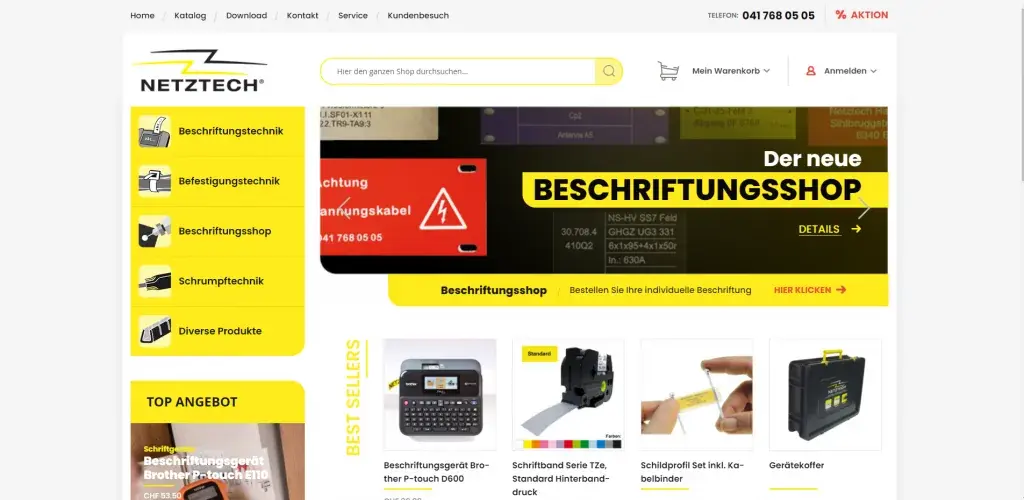
Netbase JSC delivered the migration remotely: all store data moved, 11 extensions rebuilt and a new design applied, finished in 35 working days.
Keep ReadingRelated services and solutions
 AI-enabled ecommerce development for merchants who outgrew templates
Netbase provides custom ecommerce development for merchants that have outgrown templates, to turn traffic into orders with less manual work, using AI for search, recommendations and catalog work where it pays. We build on WooCommerce, Magento 2, Laravel and headless stacks; 4over4, whose store gained an AI recommendation engine, reported 82% more revenue within six months.
Learn More
 Multi-vendor marketplace development: vendors, catalog, payouts and AI search on one platform
A multi-vendor marketplace is a commerce platform where many independent sellers list, sell and get paid through one storefront. Netbase's marketplace solution covers vendor onboarding, a shared catalog, split payments and payouts, with AI for search, listing enrichment and fraud checks. For an EU fashion-tech marketplace, Netbase's work grew gross merchandise value (GMV) 47% and cut vendor onboarding time 60%.
Learn More
Work with Netbase remotely
Every Netbase engagement is delivered remotely, so clients in any country and any industry can work with us; Netbase has worked with clients in 80 countries. Contracts and invoices are issued by Netbase JSC, and payment is made by bank transfer to Netbase JSC's company account or PayPal Business. Talk to the CEO, Huy Nguyen (David), on WhatsApp or by email.
Discuss a project
Netbase JSC helps organizations design, build, modernize, and operate digital products and AI-enabled business systems.project@netbasejsc.com
+84 937 869 689
91 Nguyen Chi Thanh, Dong Da, Hanoi, Vietnam
Get in touch
Tell us what you want to build, modernize, or operate.