

Web-to-print software: architecture, AI design assistance, build vs buy, and ROI
Web-to-print software must do four jobs: sell print products with rule-based pricing, let buyers design online, turn every design into a print-ready file, and pass the order to your MIS or ERP. AI assists design and repairs rough uploads. Buy when a product fits your workflow, build when the workflow is your edge, and measure ROI against a baseline.
Book a solution review See the related serviceBy Netbase Web-to-Print and Print Commerce Desk · Reviewed by David (CEO) · Updated · 17 min read

This guide is for owners, operations leaders and e-commerce managers at print businesses weighing a new platform. It explains the architecture, shows where AI fits, gives a build-or-buy framework, and shows how to measure ROI, drawing on Netbase's delivery of 50+ custom web-to-print platforms across apparel, packaging, signage, promotional merchandise and corporate B2B portals.
In this guide
- What web-to-print software has to do
- A reference architecture in five layers
- The architecture decisions that shape cost and flexibility
- Where AI fits in a web-to-print platform
- Build, buy or hybrid: a decision framework
- How to measure web-to-print ROI
- What results look like in delivered projects
- A phased path from decision to launch
- Trade-offs and common failure modes
- Limitations of this guide
- Frequently asked questions
- How this guide was made
- Next step
What web-to-print software has to do
A normal online store sells finished goods. A print business sells products that do not exist until the customer has chosen the options and supplied or created the artwork. That difference is why generic e-commerce software struggles with print: the product, price and production file are all created during the order, not before it.
Every web-to-print platform, whether bought or built, has to cover these jobs:
-
Product and option catalog
- What it means in practice
- Model every printable variant: size, stock, finish, colours, quantity, turnaround
- What breaks when it is weak
- Staff quote by email because the site cannot express the product
-
Pricing engine
- What it means in practice
- Calculate a price from options, quantity breaks, customer group and turnaround
- What breaks when it is weak
- Prices are wrong or missing, so buyers leave or call
-
Online designer
- What it means in practice
- Let buyers personalise templates, add text and images, or upload finished artwork
- What breaks when it is weak
- Buyers who cannot design online go to a competitor who lets them
-
Preflight and proofing
- What it means in practice
- Check resolution, dimensions, bleed and safe zones, then show a preview the buyer approves
- What breaks when it is weak
- Bad files reach prepress and the reprints come out of your margin
-
Prepress output
- What it means in practice
- Generate a production-ready file for every order, in the format your workflow expects
- What breaks when it is weak
- Operators rebuild files by hand, which caps how many orders you can take
-
Order routing and MIS/ERP integration
- What it means in practice
- Pass the job, its specification and the file to production, then send status back to the buyer
- What breaks when it is weak
- Orders are re-keyed, jobs are lost between systems and buyers chase updates
-
Channels
- What it means in practice
- Serve retail buyers, trade resellers and corporate B2B portals from one catalog
- What breaks when it is weak
- Every new channel becomes a separate site to maintain
The capability list is similar across vendors. The differences that matter sit underneath: how the layers connect, where each piece of data lives, and how much of your own logic the software lets you keep. That is what the rest of this guide is about. For how Netbase packages these capabilities into a delivered platform, see the web-to-print platform solution.
A reference architecture in five layers
It helps to picture web-to-print software as five layers that pass one order down the line. Each layer can be a product, a module or custom code; the question is only how well the boundaries hold.
- Storefront layer. Product pages, search, account areas, carts and checkout for each channel. It can be the store you already run or a separate front end.
- Product and pricing layer. The product model, option rules and price calculation. In print, this is usually the most business-specific layer, because your pricing logic is often your margin logic.
- Design layer. The browser-based designer, template library, fonts, image handling, any AI design services and the saved design state. It must work on phones as well as desktops, and it must stay usable for first-time buyers, not only for designers.
- Prepress layer. Preflight rules, proof rendering and generation of the print-ready file. A common target is PDF/X; ISO 15930-7, for example, defines PDF/X-4 for the complete exchange of printing data.
- Production integration layer. The connection to your MIS, ERP, production queues or partner print sites. CIP4 publishes JDF and XJDF job-ticket formats; many modern integrations use plain APIs and webhooks instead. Our integrations guide covers MIS, ERP, CRM, shipping and payment, and our AI production routing and scheduling guide covers which machine/site assignment and sequencing decisions an AI layer may make unattended.
Two rules keep this architecture healthy. First, the design state and the order specification should travel together as one record, so production never has to guess which file belongs to which options. Second, each layer should talk to the next through a documented interface, so you can replace one layer without rebuilding the others. A designer that writes directly into your store's database, or a pricing rule inside a theme template, is how platforms become impossible to change.
The architecture decisions that shape cost and flexibility
Most long-term cost is decided by a handful of early choices. Make them deliberately, with production and finance in the room, not only IT.
| Decision | Options | Choose this when |
|---|---|---|
| Where the storefront lives | Extend your current store; build a new store; run a headless storefront on a separate commerce core | Extend when the current store works and only print features are missing; go headless when several channels need different front ends |
| Where pricing logic lives | Inside the commerce platform; in a separate pricing service | Use a separate service when prices depend on many options, customer contracts or production cost data |
| How the designer is delivered | Embedded third-party designer; custom-built designer | Embed when your products are standard; build when your products, templates or brand controls are what buyers choose you for |
| Where files are rendered | In the buyer's browser; on the server | Render the final production file on the server, so output is consistent whatever device the buyer used |
| How production is connected | Manual export; API and webhooks; job-ticket standard such as XJDF | Start with APIs for a single site; consider a job-ticket standard when you run several MIS or production systems |
| Who operates it | Your team; a vendor; a delivery partner | Decide before launch who owns releases, uptime and buyer support, not after the first outage |
Accessibility belongs in this list too. The online designer is the counter of your shop, so it must work with a keyboard and a screen reader. WCAG 2.2, the current W3C Recommendation, gives testable success criteria you can write into the specification from day one.
Where AI fits in a web-to-print platform
Most print buyers are not designers, and most uploaded artwork is not print-ready. That gap is where AI earns its place: at the design and file steps, with rule-based preflight and a buyer-approved proof still deciding what goes to press.
- Artwork vectorisation. Low-resolution logos and scans converted to scalable vector files, a growth capability.
- AI design assistance. Layout suggestions, background removal and drafted copy inside the brand locks of the template; the generative AI editor guide sets which generation features to allow and keep print-ready.
- Preflight triage. Likely problems such as low resolution, text in the bleed or missing fonts flagged in plain language before the buyer approves a proof, so fewer files reach an operator; the artwork preflight guide sets the block, auto-fix and warn rules.
- Product recommendations. Matching stock, finishes and add-ons suggested from order behaviour; Netbase delivered a recommendation engine for 4over4.
- Catalog enrichment. Variant attributes, mockups and product copy drafted for a merchandiser to approve; the catalog enrichment guide sets which of those jobs can automate.
- Quote and order assistants. Answers about options, turnaround and status, handed to staff for custom quotes; the AI instant quoting guide sets the approval rules, and our agent-ready ordering guide covers MCP tools.
- Post-order support. Status and proof-ready reminders automate; reprint approval and proof sign-off stay with a person — the AI customer-service guide sets which action goes where.
- Choosing a vendor or build. Score a candidate on accuracy/escalation design, integration fit, governance and production fit, not a feature list; the vendor scorecard sets the five dimensions and knock-out rules.
Three rules keep AI safe in print: the buyer approves the final proof and an operator decides exceptions; agree which AI services may process uploaded artwork and that it stays out of training, since it can carry a client's brand; and AI output passes the same preflight rules as any file, with models chosen per project.
Build, buy or hybrid: a decision framework
There are three realistic paths, and the wrong one is expensive to unwind.
Buy a web-to-print product. A SaaS product or plugin gives you a designer, preflight and order handling that already work. You pay a subscription or licence and accept the product's model of how print works. This is the fastest route when your products, pricing and production flow are close to what the product expects. One such product is Printcart, a Netbase Business Division: it runs on a merchant's own store or as Shopify, Wix and WooCommerce apps, with setup in about 7 days. We name it because it is ours. If you are weighing hosted against a plugin, an API-first layer or self-hosted open source, our platform model comparison scores the first three, our open-source vs hosted or custom guide adds licence cost and exit to the choice, and our plugin-selection guide picks among named WooCommerce and Magento options.
Build a custom platform. You commission a platform shaped around your products, pricing logic, brand controls and production systems. It costs more up front and needs an operating plan, but the logic that differentiates you stays yours. This fits businesses whose workflow is the product: complex pricing, unusual products, corporate portals with approval chains, or several production sites. If the new platform also replaces an existing online store, the custom e-commerce platform guide covers the replatforming side: data, URLs and migration risk. If a partner will build it, our outsourcing-scope guide separates what you hand over from what you keep.
Hybrid. You keep a commerce core and a proven designer, and build only the parts that make you different: pricing, prepress rules, B2B controls and integrations. For most mid-sized print businesses this is where the value sits, because it spends custom engineering only where it earns a return. For the designer layer alone, compare buying, extending and building an editor in our online design editor build-vs-buy guide.
Score each path against these questions. A "yes" pushes you toward custom or hybrid.
-
Does your pricing depend on more than size and quantity?
Complex pricing is the first thing products simplify away
-
Do you sell products with unusual structures, such as dielines or multi-part items?
Standard designers assume flat, rectangular print areas
-
Do corporate buyers need locked templates, budgets or approval chains?
B2B portal rules vary widely between clients
-
Must orders reach more than one MIS, ERP or production site?
Each additional system multiplies integration work
-
Is the online experience a reason buyers choose you over competitors?
If it is, a generic experience erodes your advantage
-
Will you need to change the platform faster than a vendor's roadmap?
Your release cadence is then a competitive asset
-
Do you need AI features built around your own templates, artwork rules or data?
Products offer generic AI tools and decide where your files are processed
If you answer "no" to most of them, buy, and spend the saving on marketing and operations. If you answer "yes" to several, a custom or hybrid build usually pays back through margin, conversion and labour rather than licence savings. Netbase delivers custom and hybrid builds through e-commerce development, in agile slices reviewed weekly with your production team, working remote-first from Hanoi in English.
How to measure web-to-print ROI
A web-to-print platform earns its return in three places: more orders completed online, more value per order, and less labour per order. Measure all three, against a baseline you record before anything changes.
The basic calculation. Return on investment compares the gain with the cost over a defined period:
ROI = (incremental gross margin + labour cost avoided − running costs) ÷ total investment
- Incremental gross margin is the extra margin from additional orders and higher order values, not extra revenue.
- Labour cost avoided is the prepress, quoting and order-entry time removed, valued at real hourly cost.
- Running costs are subscriptions, licences, hosting, support and internal operating time.
- Total investment is build cost, integration, data migration, training and internal project time.
The metrics that feed it. Choose the ones that match why you are investing, and record each before launch.
-
Online conversion rate
- How to measure it
- Orders ÷ sessions, by channel and device
- Where the data usually lives
- Web analytics
-
Design completion rate
- How to measure it
- Designs finished ÷ designs started
- Where the data usually lives
- Designer event data
-
Average order value
- How to measure it
- Revenue ÷ orders, before and after
- Where the data usually lives
- Commerce platform
-
Quote-to-order time
- How to measure it
- Time from first request to paid order
- Where the data usually lives
- CRM or email logs, then the platform
-
Prepress time per job
- How to measure it
- Operator minutes from file receipt to press-ready
- Where the data usually lives
- Production logs or a timed sample
-
Reprint and rejection rate
- How to measure it
- Jobs reprinted or files rejected ÷ jobs
- Where the data usually lives
- MIS or production records
-
Fulfilment time
- How to measure it
- Paid order to dispatch
- Where the data usually lives
- MIS or ERP
-
Reorder rate
- How to measure it
- Customers ordering again within a set window
- Where the data usually lives
- Commerce platform
-
AI-assisted file fixes
- How to measure it
- Uploads converted or corrected automatically ÷ uploads, and operator minutes per fixed file
- Where the data usually lives
- Designer and prepress logs
Rules that keep the number honest.
- Record the baseline first. Without a before figure, a result cannot be compared or trusted.
- Scope every metric. A conversion gain among buyers who used the designer is not the same as a store-wide gain. Say which one you measured.
- Fix the window. Compare equal periods, and account for seasonality in print, which can be strong around events and year-end.
- Separate the causes. If you also changed prices or marketing spend, note it, or the platform gets credit it did not earn.
- Count the running costs. Subscription and operating costs recur; a return that ignores them is overstated.
What results look like in delivered projects
Two published Netbase projects show which levers moved, and how carefully the results are scoped. The figures are as reported in each case study; neither published its baseline.
Revenue grew 82% within six months at 4over4
Conversion rose 48% at 4over4
Customers who used the design tool converted 40% better
Completed designs rose 32% in six months
4over4, a US online printing store. Netbase analysed the buying journey, shortened checkout, restructured search and navigation, automated Adobe Illustrator (.ai) to SVG file conversion and added product recommendations. Within six months, revenue grew 82%, conversion rose 48% and average order value 35%. Production time fell 40% and fulfilment time 50%, and 200+ templates went live in three months. The lesson: gains came from the whole order path, not one isolated change. Read the 4over4 case study.
USticker, an Australian sticker printer. Netbase added background image and colour customisation to the online designer, integrated a secure payment gateway and optimised image loading. Customers who used the design tool converted 40% better; that figure applies to design-tool users, not to all visitors. Completed designs rose 32% in six months, retention 25% and online-order revenue 15%, and page load fell 21%. The lesson: measure the designer's effect on the buyers who use it, not all visitors. Read the USticker case study.
These are two projects with different scopes and starting points; results cannot be added together or used as a forecast, but show which metrics are worth tracking.
Two newer records show scope without results. ACT Printing, a custom apparel shop, gained a guided ordering flow with print zones, size packs and a production summary per order. Deyar Printing & Advertising in Riyadh gained a bilingual Arabic and English platform with pre-flight checks and proof approval. More scope records are summarised in our web-to-print customer stories.
Plan the next step with a Netbase consultant
A phased path from decision to launch
A web-to-print programme goes wrong most often in the first month, when scope is set without production in the room. This sequence keeps decisions in the right order. For the detailed questions to answer before implementation, work through the web-to-print implementation checklist; this guide does not repeat it.
-
Frame the business case
Name the two or three metrics the platform must move, record their baselines, and set the review window.
-
Map the order path
Follow real orders from quote to dispatch, and mark every place a person re-keys data or fixes a file.
-
Decide the path
Apply the build, buy or hybrid questions above, and write down why you chose.
-
Design the architecture
Fix the layer boundaries, the data each layer owns and the integration interfaces before any screen is designed.
-
Build in slices
Deliver one product family end to end, from product page to production file, before widening the catalog; add AI design or file services to that slice once the rule-based path works.
-
Integrate and test with production
Run real jobs through preflight and output, and let operators reject files until the rules are right.
-
Launch and measure
Migrate customers and templates, train staff, and compare the metrics with the baseline at the agreed review dates.
Trade-offs and common failure modes
- Buying a product that fights your pricing. If staff override prices by hand, the model does not fit and savings disappear.
- A designer that works only on desktop. Test it on real phones with first-time buyers, not only your own.
- Treating prepress as an afterthought. A designer whose files operators must rebuild has moved the problem.
- Integration left for phase two. Re-keyed orders erase most of the labour saving; decide scope before build.
- No owner after launch. Platforms degrade without an owner for releases and support; agree ownership in the contract.
- AI that bypasses preflight. An AI-converted file still needs the same checks and a buyer-approved proof; skipping them moves reprints, not labour.
- Measuring too early. Buyers take time to adopt a new designer; measure at fixed windows and report adoption with the headline figures.
Limitations of this guide
This is practical guidance from Netbase delivery experience and published case studies, not original research; case-study results were client-reported, and baselines were not published. The ROI method is a planning framework: real figures depend on your products, prices, labour costs and market. Standards named here are references for your specification, not a conformance claim. Beyond the two 4over4 features, the AI uses described are capabilities to evaluate, not results.
Frequently asked questions
No. The design tool is one layer. Web-to-print software also covers product and pricing rules, preflight, print-ready output and the connection to production.
Often, yes, when only print features are missing; the architecture decisions table above shows when a separate storefront makes more sense.
Answer the six framework questions. Mostly "no" points to buying a product; several "yes" answers point to a custom or hybrid build.
For routine uploads it can convert and correct files, but rule-based preflight and a buyer-approved proof should still decide what goes to press. Operators handle the exceptions AI flags.
The one tied to why you are investing: prepress time and reprint rate for labour-driven projects, conversion, design completion and order value for growth-driven ones.
No; the web-to-print platform solution explains the custom and hybrid options, and the printing and packaging page gives the sector view.
How this guide was made
The Netbase Editorial Team wrote this guide from Netbase's published web-to-print work and its two most detailed print case studies, and David (CEO) reviewed every Netbase fact. External standards are cited with access dates. Drafting used AI assistance (Claude); no figure in this guide was produced by AI, and every Netbase number traces to a verified company record.
Next step
If you are weighing a new platform, send us your products, your pricing logic and your current order path, and we will book a solution review to map the build, buy or hybrid options against your workflow. You can also see the related service or browse more Netbase insights.
Work behind this guide
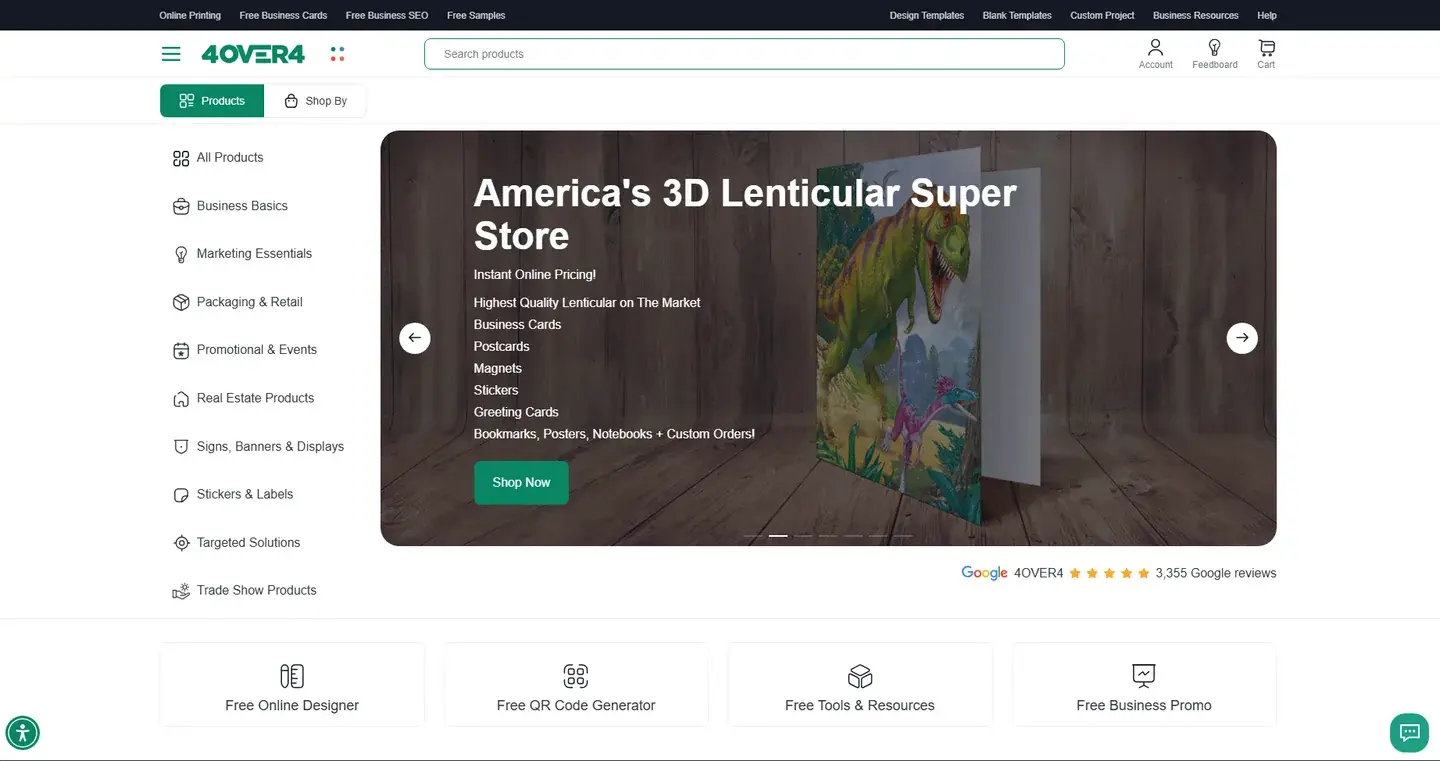
4over4, a US online printing store, had steady traffic but too few completed orders.
Keep Reading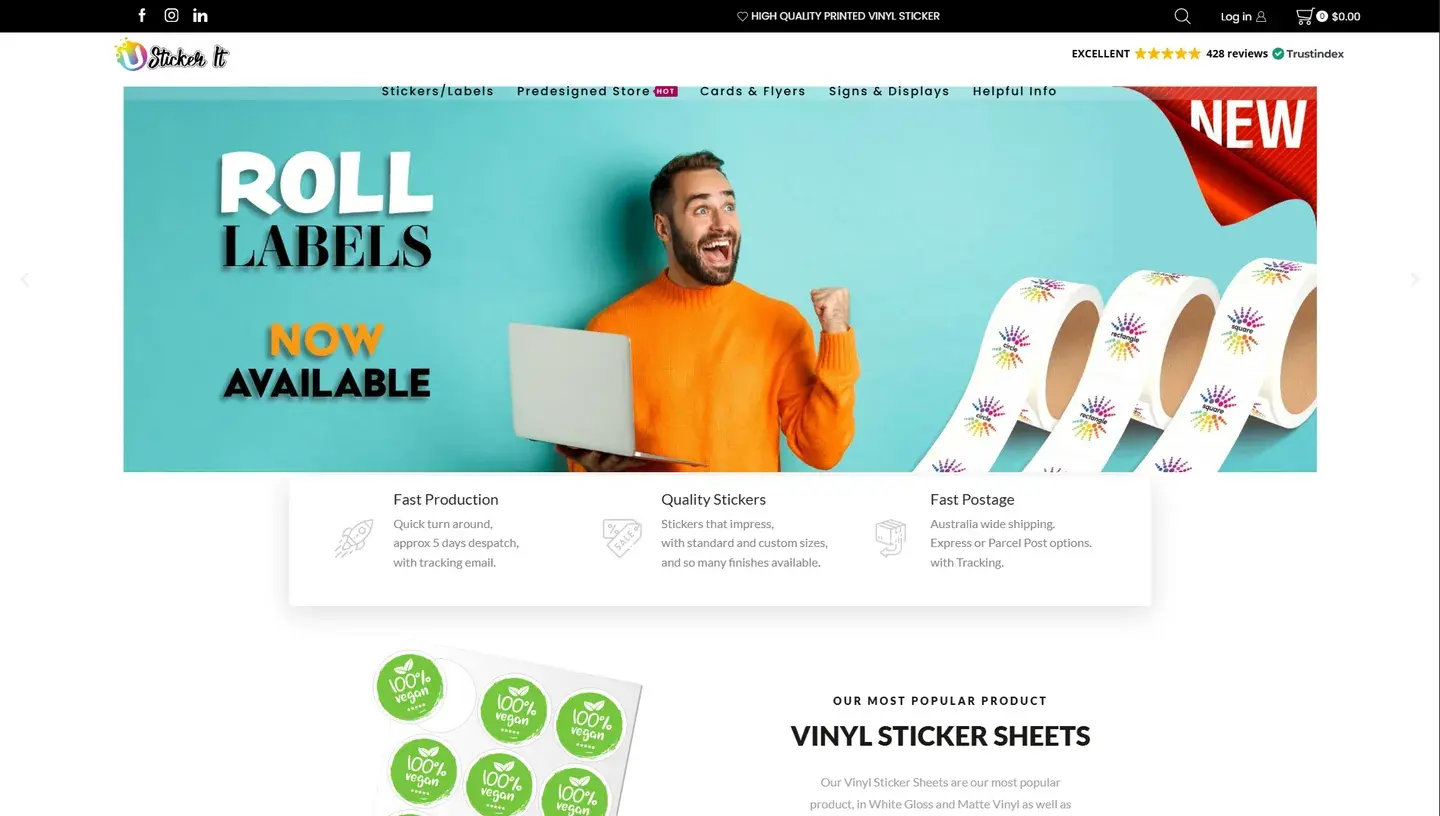
Netbase JSC built the feature and integrated a payment gateway, delivered remotely.
Keep ReadingRelated services and solutions
 AI-enabled ecommerce development for merchants who outgrew templates
Netbase provides custom ecommerce development for merchants that have outgrown templates, to turn traffic into orders with less manual work, using AI for search, recommendations and catalog work where it pays. We build on WooCommerce, Magento 2, Laravel and headless stacks; 4over4, whose store gained an AI recommendation engine, reported 82% more revenue within six months.
Learn More
 Web-to-print platform with AI design assistance, from online design to a print-ready order
A web-to-print platform is an online ordering, design and prepress workflow that helps print businesses sell custom products: customers configure, design and approve their order online, AI can suggest layouts and catch artwork problems, and production receives a print-ready file. Netbase has delivered 50+ custom web-to-print platforms across apparel, packaging, signage, promotional merchandise and corporate B2B portals.
Learn More
Work with Netbase remotely
Every Netbase engagement is delivered remotely, so clients in any country and any industry can work with us; Netbase has worked with clients in 80 countries. Contracts and invoices are issued by Netbase JSC, and payment is made by bank transfer to Netbase JSC's company account or PayPal Business. Talk to the CEO, Huy Nguyen (David), on WhatsApp or by email.
Discuss a project
Netbase JSC helps organizations design, build, modernize, and operate digital products and AI-enabled business systems.project@netbasejsc.com
+84 937 869 689
91 Nguyen Chi Thanh, Dong Da, Hanoi, Vietnam
Get in touch
Tell us what you want to build, modernize, or operate.