

AI preflight for customer-uploaded print artwork: checks, auto-fixes and escalation rules
An artwork-upload flow needs three tiers of checks, not one: block the file when a failure cannot be safely corrected or verified, auto-fix the narrow set of problems a system can correct and show the buyer, and warn-but-continue for everything else that is the buyer's call. A rule-based check and a buyer-approved proof decide what reaches press, on every tier.
Book a solution review See the related solutionBy Huy Nguyen (David), Founder & CEO · Updated · 10 min read

This guide is for owners, operations and prepress leads at print or personalised-product businesses designing or rebuilding an upload flow, once the platform itself is decided (the web-to-print platform guide covers build vs buy, and the implementation checklist is where preflight sits inside launch planning). It goes one layer deeper than either: the rule set behind the checklist's "Specify artwork checks, proofing and print-ready output" step.
In this guide
- What an upload flow actually has to check
- The escalation matrix: block, auto-fix or warn
- Where in the order flow each check should run
- Where AI fits in artwork preflight
- What delivery record exists, and what does not
- Alternatives: build, buy or extend the preflight layer
- Limits of this guide
- Frequently asked questions
- Next step
What an upload flow actually has to check
Treat artwork checking as seven separate questions, not one "does the file look OK" gate. Each has its own failure mode and its own evidence.
-
File integrity
- What it verifies
- The file opens and is not corrupted, empty or password-protected
- A typical failure
- A half-uploaded or damaged PDF
-
Resolution
- What it verifies
- Every image is sharp enough at the ordered print size
- A typical failure
- A web-resolution logo stretched across a banner
-
Color space
- What it verifies
- Colors convert predictably from screen to press
- A typical failure
- An RGB file whose colors shift once printed
-
Bleed and safe zone
- What it verifies
- Artwork extends past the trim edge; text and logos stay clear of the cut line
- A typical failure
- A background that stops exactly at the trim line
-
Fonts
- What it verifies
- Every font is embedded or outlined
- A typical failure
- A missing font silently substituted, changing the layout
-
Dieline or shape match
- What it verifies
- The artwork matches the product's cut shape or template
- A typical failure
- A rectangular design submitted for a die-cut sticker
-
Structure for the product ordered
- What it verifies
- Page count, orientation and size match what was bought
- A typical failure
- A single-page file for a product that needs one page per side
A platform that runs only a generic "file OK?" check misses the last two: they depend on what the buyer actually ordered, not on the file alone.
The escalation matrix: block, auto-fix or warn
Each failure type needs a default tier, decided once and applied consistently, not judged file by file. Block stops checkout until the buyer fixes the file or a person clears it. Auto-fix corrects the file and shows the buyer the corrected version before they approve a proof, never silently. Warn flags the problem and lets the buyer continue, because the risk is reversible or is a call only the buyer can make.
| Failure | Default tier | Why |
|---|---|---|
| File will not open or is corrupted | Block | No system can safely guess what the buyer intended |
| Fonts not embedded | Auto-fix (outline the fonts) | Deterministic and reversible; the buyer previews the result before approving |
| RGB instead of CMYK | Auto-fix (convert, flag the shift) | Deterministic conversion; the proof shows the converted colors, not a promise |
| Missing bleed on a plain background | Auto-fix (extend the background) | Extending a flat color or simple pattern rarely changes meaning |
| Missing bleed with text or a photo near the edge | Block | Extending risks cropping something the buyer placed on purpose |
| Resolution below the print threshold | Warn | The buyer may accept a softer result on a large, low-visibility product; the business should not decide this for them |
| Dieline or shape mismatch | Block | A wrong shape fails at the press, not just looks soft on screen |
| Artwork touching or crossing the safe zone | Warn, with a visual marker on the proof | Often intentional; the buyer confirms it on the proof, not before |
The failure mode to design against is not "too strict" or "too loose" alone: it is getting the tier wrong in either direction. Auto-fixing a crop that removes part of a logo hides a mistake from the one person who would have caught it. Blocking every borderline file loses orders to friction that a warning and a clear proof would have resolved just as safely.
Where in the order flow each check should run
-
At upload
Run file-integrity, resolution and color-space checks the instant a file lands, before the buyer moves on, so they can fix a problem while they are still at their screen.
-
Inside the editor
Run bleed, safe-zone and dieline checks live as the buyer positions artwork, so a warning marker on the canvas matches what they are doing right then.
-
Before the proof is shown
Re-run the full check set against the final, as-ordered file, options and quantity included, since a buyer can change the product after the first upload.
-
Before the order reaches production
Preflight again on the exact file production will use, even when the designer already checked it at upload. The implementation checklist states the same principle for prepress generally: preflight at both ends, because the earlier a problem is found, the cheaper it is to fix.
-
On any block or warning
Route the file to a queue an operator can see, with the specific failure named against the order, not a generic "file problem" flag.
Where AI fits in artwork preflight
AI's place in this flow is explaining a problem in plain language and, for the narrow set of reversible fixes above, proposing the correction; the escalation tier itself stays a rule, and a buyer-approved proof still decides what reaches press. Netbase works with the major commercial and open-source AI models, chosen per project, and treats every capability here by how mature it is, never as a single AI feature that both checks and decides.
Three rules keep this layer safe. The buyer approves the final proof; an operator decides every blocked or warned exception a rule does not resolve on its own. Uploaded artwork can carry a client's brand and confidential material, so only agree AI services that do not train third-party models on it. And an AI-proposed fix passes the same preflight rules as any other correction before it reaches a proof. Among Netbase's published records, the one delivered, named AI feature is a product-recommendation engine built for a different print client, unrelated to artwork checking; no record claims a delivered, named AI feature for preflight itself. Which generative-AI editing features reach the editor before a file even gets here is a separate decision, set out in the generative AI editor guide.
-
Available capability
AI-assisted failure triage
Plain-language explanations of a check failure, such as turning "font not embedded, page 2" into a sentence a non-designer buyer understands, and proposing the specific correction for the narrow auto-fix set above, for the buyer to accept on the proof, not apply unseen; not yet tied to a published artwork-preflight case.
-
In delivered work
Document AI platform
For a different client (not named), outside print, Netbase delivered a document AI platform that reads and extracts business documents; no Netbase record yet applies that approach to artwork preflight specifically.
What delivery record exists, and what does not
Netbase has delivered 50+ custom web-to-print platforms across apparel, packaging, signage, promotional merchandise and corporate B2B portals, and Printcart, a Netbase Business Division, generates print-ready output as a standard part of the platform it runs. Specific artwork-handling records:
- A large-format inkjet printer (Singapore, client not named). Uploaded PDF artwork is converted page by page into a high-resolution image the buyer can edit on the design canvas, with a pop-up warning on low-resolution uploads and each page mapped in order to a side of the product. See the large-format printer record.
- An invitation card printer (Germany, client not named). All pages of a multi-page design export into one print PDF even when pages differ in size, with the product key and ordered quantity written into the file name, to cut down mix-ups at the production end. See the invitation printer record.
- ACT Printing, a custom apparel shop. Artwork upload and preview are bound to the print location the buyer chose (front, back or sleeve); AI and third-party integrations are an explicit, unbuilt later phase, not delivered scope. See the ACT Printing record.
- An online print service (Seychelles, client not named). A remove-background tool and a cartoon-filter illustration step were added to an existing online designer. The public record does not state which technique powers either tool, so neither is described as AI, machine learning or computer vision here; a similar project today would evaluate that approach and test the output at full print size. See the photo-editing tools record.
What does not exist. No published Netbase record describes a system that automatically decides whether an artwork failure should block checkout, auto-fix itself or only warn the buyer; the escalation matrix above is a design framework, not a measured result. No duration, cost or error-rate figure for an artwork-checking project is published.
Alternatives: build, buy or extend the preflight layer
| Route | Strength | Choose it when |
|---|---|---|
| A packaged preflight tool or plugin | Fast to turn on; checks and auto-fix rules already built | Your product set is standard and the tool's rule set covers your failure types |
| Your online design editor's built-in checks | One place for the buyer to see and fix a problem, without leaving the page | The editor already handles most of your uploads, not just finished-file submissions |
| A custom rule set inside your own platform | Full control over the escalation matrix, by product and by customer type | Your products have unusual shapes, finishes or B2B rules a generic tool does not model |
In Netbase's own delivery, this layer is scoped and built inside a web-to-print engagement rather than sold as a separate, priced product; most Netbase projects run on fixed-price contracts agreed after discovery, not a licence fee per check. Whichever route a business chooses, write the escalation tier for every failure type down before any screen is designed, the same discipline the implementation checklist recommends for the wider launch.
Limits of this guide
- The failure types and tiers above are a starting framework; a business with unusual products (dielines, multi-part items, large format) should add its own rows before launch.
- No published Netbase record names a result, error rate or time saved from an artwork-checking project; none is claimed here.
- Preflight software and AI-assisted triage change quickly; re-check vendor capabilities before committing to one.
Plan the next step with a Netbase consultant
Frequently asked questions
Not safely today. Treat the escalation tier as a rule your business sets per failure type; AI's useful role is explaining the failure and proposing the correction, not making the block-or-pass decision unsupervised.
No. Extending a plain background is usually safe; extending a background that includes text, a logo or a photo near the edge risks cropping something the buyer placed on purpose, so that case should block instead.
Editor-time checks catch problems while the buyer is designing, but a buyer can still upload a finished file or change the product after the first check, so a check at the proof step and again before production stays necessary.
Only if the tier is picked carelessly. Warn belongs to failures a buyer can judge for themselves, such as a resolution that will look soft on one product but fine on another; failures the press cannot handle, such as a dieline mismatch, stay blocking.
Next step
Tell us what your buyers upload today and where files most often fail, and we will book a solution review to design the check, auto-fix and escalation rules for your products. The web-to-print platform solution shows how Netbase delivers it, e-commerce development covers the build, and printing and packaging gives the sector view. See more Netbase customer stories or browse more Netbase insights.
Work behind this guide

Netbase delivered the guided ordering flow remotely through its CMSmart and Printcart divisions, so every order reaches production as structured data with its artwork.
Keep Reading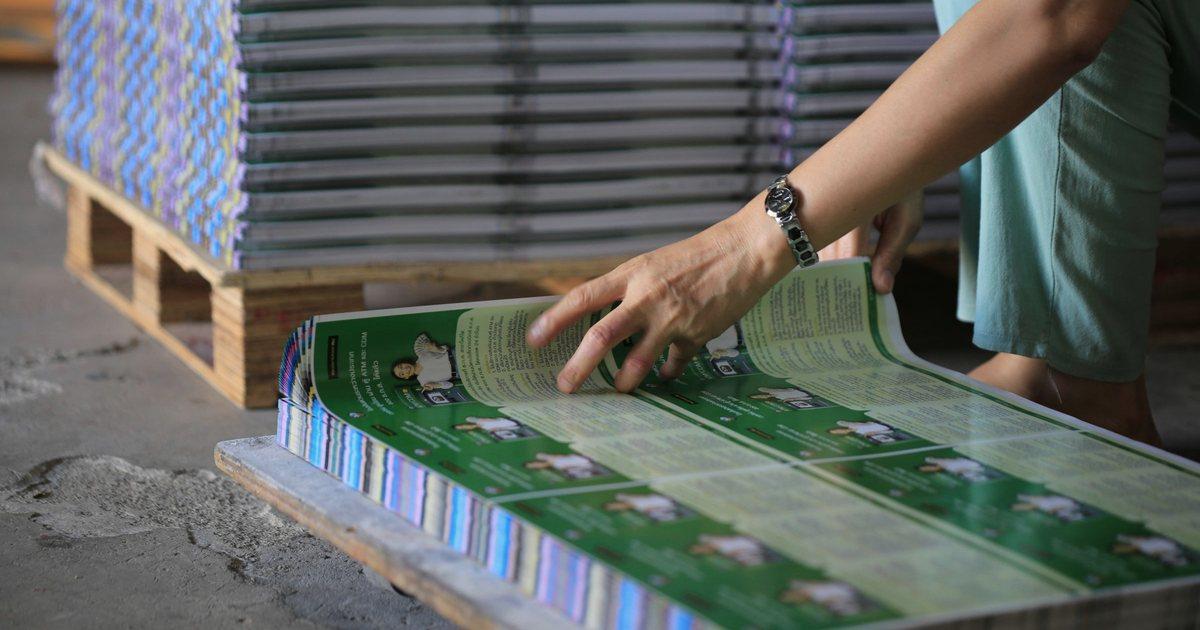
A large-format inkjet printing company in Singapore, not named, had outgrown a ready-made WordPress print store.
Keep Reading
A German printer of birthday and wedding invitation cards, not named, needed its online designer to fit its order flow.
Keep ReadingRelated services and solutions
 AI-enabled ecommerce development for merchants who outgrew templates
Netbase provides custom ecommerce development for merchants that have outgrown templates, to turn traffic into orders with less manual work, using AI for search, recommendations and catalog work where it pays. We build on WooCommerce, Magento 2, Laravel and headless stacks; 4over4, whose store gained an AI recommendation engine, reported 82% more revenue within six months.
Learn More
 Web-to-print platform with AI design assistance, from online design to a print-ready order
A web-to-print platform is an online ordering, design and prepress workflow that helps print businesses sell custom products: customers configure, design and approve their order online, AI can suggest layouts and catch artwork problems, and production receives a print-ready file. Netbase has delivered 50+ custom web-to-print platforms across apparel, packaging, signage, promotional merchandise and corporate B2B portals.
Learn More
Work with Netbase remotely
Every Netbase engagement is delivered remotely, so clients in any country and any industry can work with us; Netbase has worked with clients in 80 countries. Contracts and invoices are issued by Netbase JSC, and payment is made by bank transfer to Netbase JSC's company account or PayPal Business. Talk to the CEO, Huy Nguyen (David), on WhatsApp or by email.
Discuss a project
Netbase JSC helps organizations design, build, modernize, and operate digital products and AI-enabled business systems.project@netbasejsc.com
+84 937 869 689
91 Nguyen Chi Thanh, Dong Da, Hanoi, Vietnam
Get in touch
Tell us what you want to build, modernize, or operate.