

Apache Iceberg, Delta Lake and Hudi: choosing an open table format
Choose the open table format that every engine and catalog you already run can write, not the one with the best benchmark. Netbase's view: Iceberg suits several engines sharing tables, Delta Lake suits a Spark or Fabric-centred platform, and Hudi suits heavy record-level upserts. Lock-in sits mostly in the catalog and platform, not the format.
Book a solution review See the related solutionBy Netbase Commerce and Platform Engineering Desk · Reviewed by David (CEO) · Updated · 11 min read

This guide is for heads of data, data engineering leads and CTOs who have decided a lake or lakehouse is worth it and now have to commit tables to one format. It assumes the earlier question is settled; if it is not, start with why data lakes turn into swamps. It reflects how the data engineering and platforms service frames the decision.
In this guide
- What actually differs between Iceberg, Delta Lake and Hudi?
- Which format fits which situation?
- Where does lock-in really sit: format, catalog or platform?
- How do engines and catalogs change the answer?
- How to choose a table format in six steps
- Where AI fits
- What delivery record exists, and what does not
- Alternatives: when not to pick one format for everything
- Limits of this guide
- Frequently asked questions
- Next step
What actually differs between Iceberg, Delta Lake and Hudi?
All three formats add the same core features on top of Parquet files in object storage: atomic commits, schema evolution, time travel and metadata that engines read instead of listing folders. They differ in how that metadata is kept, which engines write it natively and which workloads each was designed around.
- Apache Iceberg tracks a table as snapshots over manifest files and is built to be read and written by many engines. The project lists Spark, Flink and Hive as project-maintained engines, with Trino, Presto, DuckDB and the major cloud warehouses supporting it as well.
- Delta Lake keeps an ordered transaction log next to the data. It is a Linux Foundation project with connectors for Spark, Flink, Trino and several warehouses, and it is the default table format in Microsoft Fabric.
- Apache Hudi keeps a timeline of table actions and offers two table types. Its documentation describes copy-on-write and merge-on-read: the first rewrites files on update and reads fast, the second appends changes to logs and suits streaming ingestion and change data capture.
The practical consequence: the format matters less for what a table can do and more for which tools on your list write it without a workaround.
Which format fits which situation?
The decision matrix below starts from the situation a buyer is in, not from a feature list. Find the row closest to your platform and workload; if two rows apply, the engine that must write the tables wins.
| Your situation | Default choice | Why | Check before committing |
|---|---|---|---|
| Several engines (Spark, Trino, a warehouse) must read and write the same tables | Iceberg | Designed for many engines writing the same tables | Which catalog every engine can reach |
| Platform is built around Delta Lake, such as Microsoft Fabric, and will stay so | Delta Lake | Native format of the platform, no conversion layer | How outside engines will read the tables |
| Frequent record-level upserts or CDC from operational databases | Hudi, or Iceberg with merge support | Merge-on-read keeps write cost low for constant changes | Whether your query engines read the log files |
| Cloud-native lake on AWS S3 Tables or BigQuery | Iceberg | The managed table services are built on it | Export path if you leave that cloud |
| Mostly structured data, one warehouse, few sources | No open table format | A warehouse already gives transactions and schemas | Whether a second engine is really coming |
Three rules sit under the matrix. Pick by who writes, because most engines can read more formats than they can write. Pick the catalog together with the format, because the catalog decides which engines find the table at all. Pick against the next three years of tools, not the current proof of concept.
Where does lock-in really sit: format, catalog or platform?
Lock-in with open table formats is mostly not in the files. The data stays in Parquet, the formats are open source, and metadata can be translated between them. The harder lock-in sits in the catalog that names and governs tables and in the managed platform that runs maintenance and access rules.
Treat the three layers separately and ask one exit question for each:
- Format. Can we expose these tables in another format without copying data? Delta Lake's UniForm generates Iceberg metadata so Iceberg clients can read Delta tables, but those clients can only read, not write. Apache XTable, an incubating Apache project, translates metadata between Hudi, Delta Lake and Iceberg without rewriting data files.
- Catalog. Can every engine we may add reach this catalog through an open API? The Iceberg REST catalog specification is the common route; Unity Catalog's open-source edition also serves the Iceberg REST Catalog API alongside its own.
- Platform. If we stop paying for this platform, which jobs stop running? Managed services run compaction, snapshot expiry and access policies for you; S3 Tables performs compaction and unreferenced file removal automatically, and that work moves back to your team on exit.
A table that one engine writes, another reads through a translation layer, and a platform maintains is three dependencies, not one. Write them down before the first production table.
How do engines and catalogs change the answer?
Engine and catalog support changes faster than the formats themselves, so check the current documentation of every tool on your list rather than a comparison chart. A few patterns hold today.
Cloud warehouses increasingly store their own tables as Iceberg in storage you control. Snowflake supports Iceberg tables with Snowflake as the catalog or with an external catalog, and writes to externally managed tables come with limits. Google describes BigLake Iceberg tables in BigQuery as one copy of data that open-source engines can also work with.
In Microsoft Fabric, Delta Lake is the standard table format, and Microsoft's own feature matrix shows that not every Fabric experience writes every Delta feature. Even inside one format, check feature by feature: deletion vectors or column mapping written by one engine may not be readable by another.
How to choose a table format in six steps
-
List engines by role
Write down every engine that writes tables and every engine that only reads them, including the BI tool and any machine learning jobs.
-
Pick the catalog first
Choose the catalog every writer can reach, preferably through an open API, and note which governance rules live in it.
-
Map workload shape
Mark which tables are append-only, which take frequent updates or deletes, and which come from change data capture.
-
Apply the matrix
Use the decision matrix above per group of tables; one format for the whole lake is simpler unless a workload clearly needs another.
-
Assign maintenance
Decide who runs compaction, snapshot expiry and file clean-up, or which platform does it, and what happens on exit.
-
Run an exit test
On real tables, read them from a second engine and through the translation path you would use to leave; fix what breaks before go-live.
Where AI fits
AI helps with the inventory and comparison work around the choice, not with the choice itself. An assistant can read engine and catalog documentation, draft the compatibility matrix for your exact tool versions and generate test queries for the exit test. Netbase works with the major commercial and open-source AI tools and models, chosen per project.
Engineers still verify every compatibility claim against the current documentation and the exit test on real tables; no model changes a table, a catalog or a permission on its own.
- In delivered work
MLOps pipeline
An MLOps pipeline among the AI projects Netbase has delivered for clients that are not named; an AI delivery record, not a table format migration.
- Available capability
AI and data services
AI-assisted compatibility mapping and test generation are a way Netbase approaches the work, not yet tied to a published case.
What delivery record exists, and what does not
Netbase has delivered AI projects for clients that are not named, including MLOps pipelines, and its named AI delivery is the 4over4 recommendation engine, which suggests products from browsing history and previous purchases. Its ERP and e-commerce work includes API sync of product catalogues, inventory, orders and customer data with ERP systems, which is the operational data a lake or warehouse later receives.
Delivery runs in a six-step lifecycle from discovery and architecture planning to rollout and ongoing support. Most Netbase projects are delivered on fixed-price contracts. No published Netbase record describes an Iceberg, Delta Lake or Hudi migration for a client, and no performance, cost or size figure is claimed here.
Alternatives: when not to pick one format for everything
- Warehouse-native tables only. Keep data in the warehouse's own storage. Choose it when one engine serves all users and no second engine is planned; exit means a data export, not a metadata translation.
- Platform-default format. Accept the format your managed platform writes natively. Choose it when the platform is a long-term decision and outside engines only need to read; confirm a read path such as UniForm first.
- Two formats with translation. Keep Hudi or Delta Lake for write-heavy tables and expose them as Iceberg to readers. Choose it only when one workload clearly needs a different format, and own the translation job.
- Iceberg with an open catalog. Standardise on Iceberg and a catalog with an open REST API. Choose it when several engines write and avoiding platform dependence outweighs the convenience of a native format.
Ingestion choices shape this too: tables fed by change data capture from operational databases are the ones where merge cost matters, and the streaming or batch decision tells you how often they change.
Limits of this guide
- Engine and catalog support changes with each release; confirm every row of the matrix against current documentation for your versions.
- It gives no benchmark, price or cost figure; vendor benchmarks reflect the vendor's workload, not yours.
Plan the next step with a Netbase consultant
Frequently asked questions
No. Iceberg is the broadest choice when several engines must write the same tables, but on a platform built around Delta Lake it adds a conversion step for little gain. Choose by the engines and catalog you run, not by market momentum.
Often, yes. The data stays in Parquet files, and tools such as Delta Lake UniForm or Apache XTable translate metadata between formats. Translation usually gives read access only, so plan writes in one format and test the path before relying on it.
Yes, for tables with constant record-level updates such as change data capture feeds. Its merge-on-read table type keeps write cost low for that pattern. Check first that every engine that queries those tables reads merge-on-read correctly.
Partly. The files stay open, but the catalog, access policies and maintenance jobs live in the platform. Ask how tables are reached from outside and which jobs you would have to run yourself after leaving.
Next step
If you are about to commit a lake to one table format, Netbase can map your engines, catalog and exit path with your team before the first production table: book a solution review.
Work behind this guide
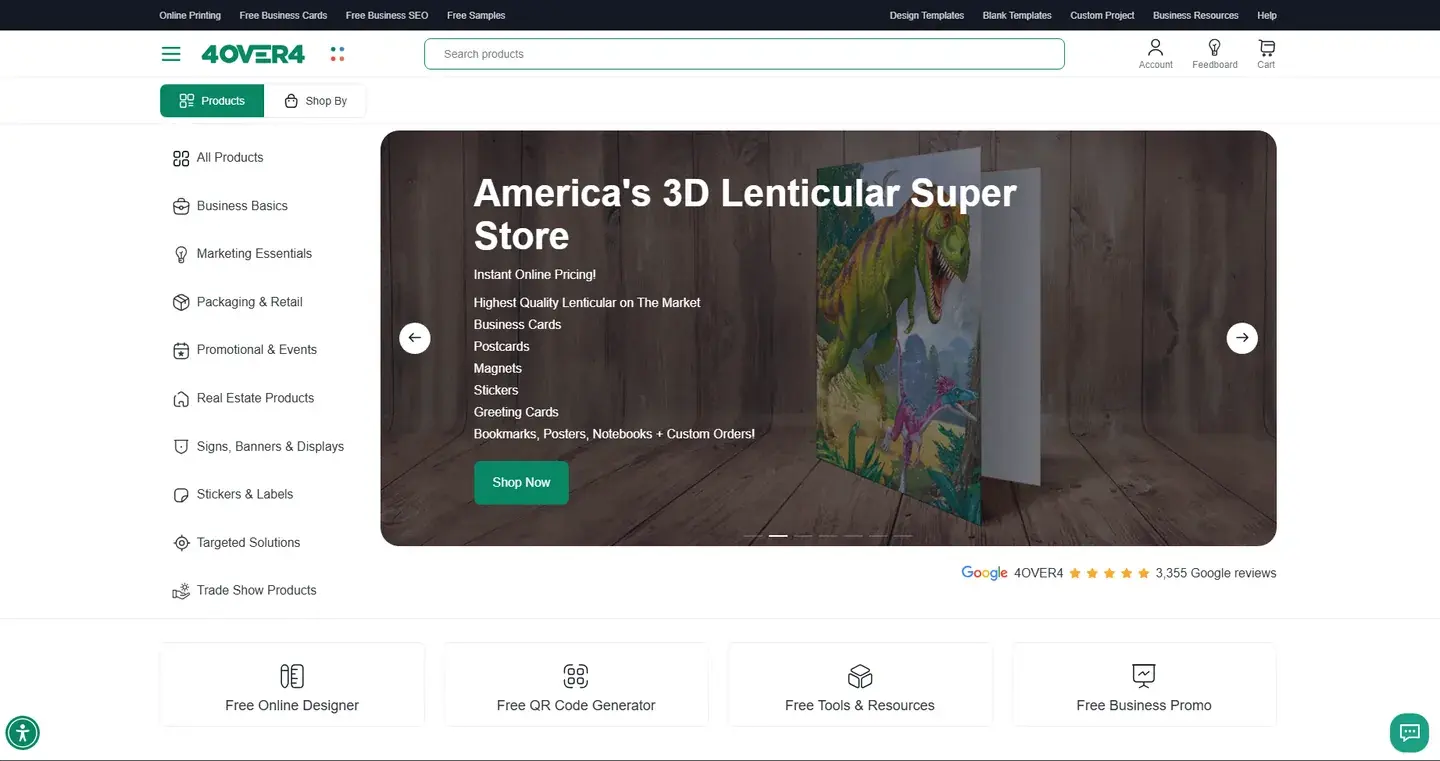
The same work also automated Adobe Illustrator (.ai) to SVG file conversion and added product recommendations for shoppers.
Keep Reading
Geo-Tek IT Solutions, a printing and design-services company in Cyprus, needed an online design platform that worked on every device and fitted its existing systems.
Keep Reading
An organization that Netbase does not name, filed under professional services, needed a controlled way to train, evaluate, release and monitor its models.
Keep ReadingRelated services and solutions
 Data engineering platforms for reporting and AI
Netbase builds data pipelines and analytics foundations for companies whose data is spread across a store, an ERP, a CRM and spreadsheets. We collect it, clean it, model it and check its quality, so reports agree with each other and AI projects start from data people trust. Data engineering is a capability we are growing alongside the platforms we deliver.
Learn More
 AI and data services, from readiness check to production feature
Netbase provides AI and data services for companies that want to move from an AI idea to a feature that works inside a real product or process: readiness assessment, data preparation, model and automation development, and production support. Delivered AI includes 4over4's recommendation engine, plus RAG, document AI and MLOps projects for unnamed clients; the rest is growing.
Learn More  Enterprise integration hub ready for AI agents: one monitored layer for commerce, ERP and CRM data
An enterprise integration hub is a central layer that moves orders, customers, stock and invoices between your commerce, ERP and CRM systems, with monitoring, retries and replay in one place, and scoped APIs that AI agents can call safely. Netbase builds it as a custom layer on the stack you already run, starting from the flows that break most often.
Learn More Related insights

Use the lightest change data capture method your consumers can live with: a nightly snapshot or timestamp polling covers most reporting, while native database CDC or log-based CDC with Debezium earns its cost only when consumers need deletes, every change in order and fresh data. Netbase scores each source table before choosing.

Streaming or batch: deciding the latency a business metric really needs
A business metric needs only the freshness of the decision it feeds: if nobody acts on a number more than once an hour, an hourly batch pipeline is enough, and streaming pays off only where a late action costs real money. Netbase scores every metric on a latency-to-value worksheet before choosing a pipeline.

Data catalog and lineage: what a 20-person data team actually needs
A data team of about twenty people needs a small catalog of its most-used tables, each with an owner, and table-level lineage that answers "what breaks if I change this?"; a full governance platform pays off only after specific triggers. Netbase scopes catalog and lineage work from the questions the team must answer, not from a tool list.
Work with Netbase remotely
Every Netbase engagement is delivered remotely, so clients in any country and any industry can work with us; Netbase has worked with clients in 80 countries. Contracts and invoices are issued by Netbase JSC, and payment is made by bank transfer to Netbase JSC's company account or PayPal Business. Talk to the CEO, Huy Nguyen (David), on WhatsApp or by email.
Discuss a project
Netbase JSC helps organizations design, build, modernize, and operate digital products and AI-enabled business systems.project@netbasejsc.com
+84 937 869 689
91 Nguyen Chi Thanh, Dong Da, Hanoi, Vietnam
Get in touch
Tell us what you want to build, modernize, or operate.