

Bug-Fix Workflow: Reproduction, Regression Tests and Release Cadence
A reliable bug-fix workflow reproduces each defect before anyone changes code, turns the reproduction into a failing regression test, fixes until that test passes, and ships the fix on a cadence set by severity: hotfix, next patch release or scheduled release. This Netbase guide gives the quality gates, a severity-to-cadence matrix and the trade-offs.
Book a solution review See the related solutionBy Netbase Delivery and Quality Desk · Reviewed by David (CEO) · Updated · 10 min read

It is for product owners, IT managers and engineering leads who run a live application and see the same defects come back, or fixes that break something else. Netbase keeps live software working through application maintenance and support and moves ageing systems onto supported technology through legacy modernization.
In this guide
- Why do fixed bugs keep coming back?
- What are the quality gates of a bug-fix workflow?
- Which release cadence fits each bug?
- How to run the bug-fix workflow
- How do you know the workflow is working?
- When should you not follow the full workflow?
- Where AI fits
- What delivery record exists, and what does not
- Alternatives: other ways to organise bug fixing and how to choose
- Limits of this guide
- Frequently asked questions
- Next step
Why do fixed bugs keep coming back?
Fixed bugs come back for three reasons: nobody reproduced the defect, so the fix guessed at the cause; nobody wrote a test for it, so a later change undid the fix; or the fix shipped in a large release where a reviewer could not see it. Each reason maps to one quality gate in the workflow below.
A fourth reason is cadence. When every fix waits for a monthly feature release, teams start to bypass the process for urgent issues, and the bypass becomes the normal route. A workflow that names a fast path for urgent fixes, with its own minimum checks, keeps everyone on the same process.
What are the quality gates of a bug-fix workflow?
A gate is a check with an owner and a pass condition. A fix that fails a gate goes back one step; it does not move on with a note. These six gates fit most live business applications:
-
G1 Reproduced
- Pass condition
- Written steps, environment and data reproduce the defect on a test copy
- Owner
- Support or QA
-
G2 Failing test
- Pass condition
- An automated test, or a scripted manual check where automation is not possible, fails for the reported reason
- Owner
- Developer
-
G3 Fix and review
- Pass condition
- The test passes, a second engineer reviewed the change, and it is in version control
- Owner
- Developer and reviewer
-
G4 Regression run
- Pass condition
- The targeted test plus the regression suite of the affected area pass on the release build
- Owner
- QA
-
G5 Release decision
- Pass condition
- Severity sets the release route; rollback is ready
- Owner
- Release owner
-
G6 Verified in production
- Pass condition
- The reporter or monitoring confirms the defect is gone; the ticket closes with the test name
- Owner
- Support
G1 is the gate teams skip most often. If the defect cannot be reproduced, record what was tried, add logging or monitoring around the suspected area, and keep the ticket open in a "needs evidence" state rather than shipping a speculative fix. When the defect appeared after a known-good version, git bisect runs a binary search over the commits between the two versions to find the change that introduced it.
G2 turns the reproduction into a permanent asset. The test fails before the fix and passes after it, so it proves the fix and guards against the defect returning. Keep these tests in the normal suite, tagged by the area of the application, so the regression run in G4 can select them.
Which release cadence fits each bug?
Severity and exposure decide the route, not the size of the code change. A one-line fix to payment handling can need a hotfix; a large fix to an internal report can wait for the scheduled release.
| Severity | Example | Release route | Minimum checks before release |
|---|---|---|---|
| Critical | Checkout, login or data integrity broken for many users; security exposure | Hotfix the same day or next working day | G1 to G3, smoke test, targeted regression of the area, rollback ready |
| High | A main workflow broken for some users, with a workaround | Next patch release, within the week | G1 to G4 on the affected area |
| Medium | A secondary feature wrong, a clear workaround exists | Scheduled maintenance release | Full G1 to G6, full regression suite |
| Low | Cosmetic issue, wording, minor layout | Batched into the next feature or maintenance release | G1 to G3, normal release checks |
Version numbers help users and support teams follow this. Semantic Versioning reserves the patch number for backward-compatible bug fixes, so a fix-only release reads as 2.4.1 rather than 2.5.0. A hotfix branch should start from the version running in production, and the same fix must also land on the main branch, or the next feature release brings the bug back; the Google SRE book describes this as cherry-picking fixes into a release branch.
How to run the bug-fix workflow
-
Capture the report in one template
Record steps, expected and actual result, environment, version, affected users and screenshots or logs in the tracker, so G1 starts from evidence, not memory.
-
Triage severity and exposure
Apply the matrix above within one working day, name the owner, and link duplicates to one ticket.
-
Reproduce on a test copy
Use production-like data with personal data masked; if you cannot reproduce it, add logging and keep the ticket in "needs evidence".
-
Write the failing test first
Commit the test on its own so the review shows it failing before the fix.
-
Fix the cause, not the symptom
Keep the change small, with no refactoring or new features in the same branch, and get a second engineer to review it.
-
Run the regression suite of the area
Run the full suite before scheduled releases; for a hotfix, run the smoke test and the tagged tests of the affected area.
-
Release on the route severity sets
Put the fix behind a release toggle when it changes behaviour users notice, so you can switch it off without a redeploy.
-
Verify and close
Confirm with the reporter or monitoring, close the ticket with the test name and release version, and merge any hotfix back into the main branch.
How do you know the workflow is working?
Track a small set of delivery measures over months, not per fix. The DORA software delivery metrics include change fail rate, the share of deployments that need immediate intervention, and deployment rework rate, the share of unplanned deployments caused by a production incident. Add one local measure: the share of closed defects that carry a regression test. If change fail rate rises while the test share falls, the gates are being skipped.
When should you not follow the full workflow?
Do not hold a critical security or data-loss fix for a full regression run; ship the minimum checks in the matrix and run the full suite straight after. Do not write a regression test for a one-off data correction that no code change caused; record the correction instead. And do not start a test-first workflow on code with no test harness at all: add a basic harness on the main flows first, or every fix becomes a project.
Where AI fits
AI helps with the volume of support work. A model can group duplicate reports, draft reproduction steps from logs and tickets, propose a failing test from a reproduction, and suggest a fix for an engineer to check. Engineers still confirm the reproduction, decide whether a proposed test fails for the right reason, review every change and own the release decision, because a plausible fix can pass a weak test and change business logic. Netbase works with the major commercial and open-source AI tools and models, chosen per project.
- Available capability
AI-assisted bug triage and test drafting under human review
AI-drafted tests and fixes pass the same code review, version control and regression run as any other change; not yet tied to a published support case.
What delivery record exists, and what does not
Netbase's project workflow runs investigation, planning, coding and testing, then delivery and maintenance under contract. Progress is tracked in Jira, Redmine, Trello or GitHub, where clients can check it at any time, and source code is managed in GitHub. Delivery teams combine business analysts, project managers, solution architects, developers, QA and UI/UX.
Netbase runs, maintains and upgrades what it builds, remotely and alongside the client's in-house team, under an agreed support scope, with response targets set per contract. Its published security practices include secure code review and version control. Engagement models include on-demand support and fully managed delivery, and most Netbase projects are delivered on fixed-price contracts; milestone-based, monthly team retainer and KPI-linked models are also offered.
Netbase delivered the Netztech migration from Magento 1 to Magento 2; see the Netztech record. No defect count, fix time, change fail rate or other support result is published, and none is claimed here.
Alternatives: other ways to organise bug fixing and how to choose
- Fix in place, no gates. Fastest for a small internal tool with one developer and few users; choose it only when a regression costs little and someone can undo it quickly.
- Bug-fix rotation inside the product team. One engineer per sprint owns incoming defects with the same gates; choose it when the team that builds features also knows the code best. Pair it with an on-call routine for small engineering teams for out-of-hours incidents.
- Separate maintenance team or partner. A support team runs the gates and release routes under an agreed scope and tier split; choose it when feature work keeps crowding out fixes, or when the application is no longer under active development. AI features need extra support terms.
- Release gates without a bug-specific workflow. A release readiness checklist catches some regressions before go-live, but it does not make each fix leave a test behind.
Choose by change frequency, the cost of a regression and who knows the code. A busy, high-risk application justifies all six gates and a dedicated owner; a stable internal tool needs G1 to G3 and a batched release.
If old runtimes cause many of your defects, rank them with the end-of-life PHP, .NET and Java risk table and plan upgrades alongside fixes; security maintenance with patching, scanning and recovery covers the security side. Write the release route down as part of a minimum documentation set so anyone on the rota can ship a fix.
Limits of this guide
- The severity examples and release routes are a starting point; set your own in the support agreement.
- It covers defects in application code, not infrastructure incidents or data corrections.
- It does not cover mobile app store review times, which add delay to every mobile release route.
Plan the next step with a Netbase consultant
Frequently asked questions
Every fix to a defect caused by code should leave a test that failed before the fix and passes after it. Exceptions are one-off data corrections and cosmetic changes where a test costs more than the risk; record the reason on the ticket.
Record what was tried, add logging or monitoring around the suspected area, and keep the ticket open in a "needs evidence" state. Shipping a guessed fix hides the problem and makes the next report harder to read.
Set the route by severity: critical issues as a same-day or next-day hotfix, high-severity issues in a weekly patch release, and medium and low issues in a scheduled maintenance release. A fixed rhythm for non-urgent fixes keeps releases small and reviewable.
A hotfix can ship on a smoke test and the tagged tests of the affected area, with rollback ready, but the full suite should run right after. The hotfix must also be merged into the main branch so the next release does not undo it.
Next step
If fixed bugs keep coming back in a live application and you want a workflow with gates your team can run, book a solution review.
Work behind this guide
Netbase JSC built a 3D preview function with product models for its online store, delivered remotely.
Keep Reading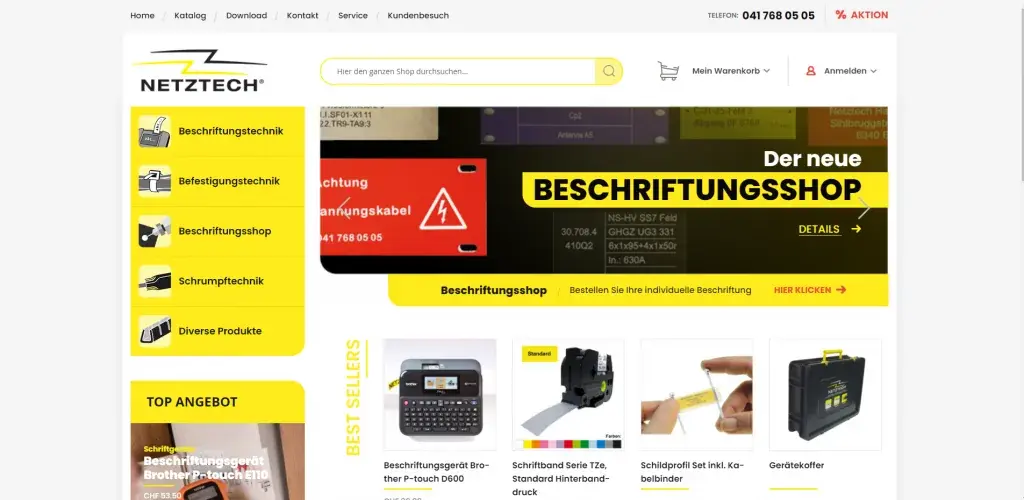
Netztech Handels AG, a Swiss supplier of labeling, fastening and shrink technology in Baar, needed its busy online store moved from Magento 1 Community Edition to Magento 2 Commerce.
Keep ReadingRelated services and solutions
 AI-assisted legacy modernization that keeps your orders and data safe
Netbase provides legacy application modernization services for commerce and operations teams to move ageing platforms, such as Magento 1 stores, onto supported technology without losing orders, customers or data. AI speeds up code analysis and data mapping; every migration runs on a written, human-approved plan with rehearsal, staged cut-over and rollback, proven by Netztech's move to Magento 2.
Learn More
 AI-assisted QA and software testing that run inside delivery
Netbase provides software testing and QA services for product and commerce teams to release often without breaking what customers use. QA runs inside delivery, not after it: acceptance criteria, automated regression with AI-generated test drafts, performance budgets and release readiness checks. Page speed shows the result: USticker's page load fell 21%, and PrintLeo's improved 35%.
Learn More  Application maintenance and support for live web, mobile and business software
Netbase maintains and supports software that is already live: web platforms, online stores, mobile apps, ERP and CRM systems and internal tools, including software another vendor built. We take it over after a code and environment review, then fix defects, keep frameworks current, monitor it, make small changes and report monthly, under service levels agreed in your contract.
Learn More  Multi-vendor marketplace development: vendors, catalog, payouts and AI search on one platform
A multi-vendor marketplace is a commerce platform where many independent sellers list, sell and get paid through one storefront. Netbase's marketplace solution covers vendor onboarding, a shared catalog, split payments and payouts, with AI for search, listing enrichment and fraud checks. For an EU fashion-tech marketplace, Netbase's work grew gross merchandise value (GMV) and cut vendor onboarding time.
Learn More Related insights

An application on an end-of-life PHP, .NET or Java version no longer gets security fixes, so its risk grows with every new vulnerability. Rank each application by version status and exposure, then choose an in-place upgrade, a long-term-support jump, a port or retirement. This Netbase guide gives the status table, risk table and path matrix.

L1, L2 and L3 Support Tiers in an Outsourced Model: Who Owns What and When to Escalate
In an outsourced model, L1 handles first response and known fixes, L2 diagnoses application problems, and L3 changes code; most companies outsource L1 first and keep L3 with whoever releases the code. This Netbase guide gives a responsibility matrix, written escalation triggers and four ways to split the tiers with a partner.

Runbooks and Documentation for Maintainable Applications: The Minimum Set
A maintainable business application needs seven documents: a system overview, architecture views, a decision log, build and release steps, a configuration inventory, an observability guide and runbooks. This Netbase guide gives each an owner, a trigger that forces an update and a test that someone who did not build the system must pass.
Work with Netbase remotely
Every Netbase engagement is delivered remotely, so clients in any country and any industry can work with us; Netbase has worked with clients in 80 countries. Contracts and invoices are issued by Netbase JSC, and payment is made by bank transfer to Netbase JSC's company account or PayPal Business. Talk to the CEO, Huy Nguyen (David), on WhatsApp or by email.
Discuss a project
Netbase JSC helps organizations design, build, modernize, and operate digital products and AI-enabled business systems.project@netbasejsc.com
+84 937 869 689
91 Nguyen Chi Thanh, Dong Da, Hanoi, Vietnam
Get in touch
Tell us what you want to build, modernize, or operate.