

Cutover plan for a cloud migration: rollback points, DNS and data sync
A cloud migration cutover plan is a dated timeline with four named rollback points, written go/no-go criteria, a DNS change that can be reversed and a final data sync with reconciliation. Netbase rehearses the whole sequence, including the rollback, before the real window, so the team knows when it will stop.
Book a solution review See the related solutionBy Netbase Commerce and Platform Engineering Desk · Reviewed by David (CEO) · Updated · 11 min read

This guide is for CTOs, heads of engineering and IT leads who own the switch-over of a business application to AWS, Azure, Google Cloud or another cloud. It sits beside Netbase's cloud platform engineering service and covers the part of a cloud migration and modernization project that decides whether users notice the move: the cutover window itself.
In this guide
- What does a cutover plan have to decide before the window?
- Big-bang or phased cutover: which shape fits?
- The cutover timeline template
- How do you set the go/no-go criteria?
- How should DNS be handled so the move can be reversed?
- Running the cutover window
- When should you not use this plan?
- Where AI fits in cutover planning
- What delivery record exists, and what does not
- Alternatives: other ways to reduce cutover risk
- What are the limits of this guide?
- Frequently asked questions
- Next step
What does a cutover plan have to decide before the window?
A cutover plan decides four things in advance: the moment users move, the evidence that allows the move, the last moment the team can still go back cheaply, and who makes each call. Deciding them during the window, under time pressure, is how a short outage turns into a long one.
AWS describes the cutover stage as five phases: an ingestion freeze, a final backup kept for rollback, a final data sync, the routing change (DNS records or load balancer targets) and testing before the migration is marked complete. The same guidance asks for a rollback plan with defined checkpoints, a strategy for handling the data and one point of contact who decides to fix forward or roll back.
Microsoft's Cloud Adoption Framework adds the business side: define with stakeholders what counts as a failed deployment, test the rollback in staging, secure written approval for the plan and the rollback authority, and schedule formal review points for go/no-go decisions.
Big-bang or phased cutover: which shape fits?
| Cutover shape | How users move | Rollback cost | Choose it when |
|---|---|---|---|
| All at once | One DNS or load balancer change moves everyone | Low before new writes land in the target, high after | The application cannot split across environments or tolerate latency to its database |
| Phased | A share of traffic moves first, then more | Low: shift traffic back by policy | Tiers can run in both environments and the load balancer or DNS can split traffic |
| Read-only window | Writes stop, reads continue during the final copy | Medium: no new data to reconcile | Users can live with a read-only period while the last data moves |
| Parallel run with dual write | Both environments take writes for a period | High: two copies to keep consistent | Only with application support for writing to both stores and a clear end date |
The cutover timeline template
Each stage ends at a rollback point. Write down, per point, what going back means and what it costs.
-
T-6 to T-3 weeks
- Work
- Runbook with owners and times, dependency list, first full rehearsal including the rollback
- Rollback point
- R0: before the freeze
- Going back means
- Cancel the window; nothing has changed
-
T-2 weeks
- Work
- Second rehearsal on production-like data, timed; go/no-go criteria signed
- Rollback point
- R0
- Going back means
- Move the date
-
T-3 days
- Work
- Lower DNS TTLs on every record that will change; confirm replication health
- Rollback point
- R0
- Going back means
- Raise TTLs again
-
T-0, start
- Work
- Freeze writes, take the final backup, start the final delta sync
- Rollback point
- R1: before the final sync
- Going back means
- Lift the freeze; the source is untouched
-
T-0, middle
- Work
- Reconcile data, smoke-test the target on its private address
- Rollback point
- R2: before the DNS change
- Going back means
- Discard the target copy; reopen the source
-
T-0, switch
- Work
- Change DNS or load balancer targets, watch error rates and logs
- Rollback point
- R3: end of the rollback window
- Going back means
- Point traffic back and replay or restore writes made in the target
-
T+1 to T+14 days
- Work
- Hypercare, keep the source intact and read-only, raise TTLs
- Rollback point
- Past R3
- Going back means
- A second migration, planned like the first
The rule behind the table: rollback stays cheap until real users write data into the target. After that, going back means moving those writes as well, which AWS describes as a fail-forward database, a dual-write strategy or a native backup and restore whose duration you measure in a lower environment first.
How do you set the go/no-go criteria?
Write each criterion with its evidence, its owner and the threshold that means "no-go", and sign them two weeks before the window. A criterion without a threshold is an opinion.
-
Rehearsal
- Evidence
- Timed log of the last full rehearsal, rollback included
- Owner
- Migration lead
- No-go when
- The rollback was not rehearsed end to end
-
Data
- Evidence
- Row counts and checksums per table or object store after the final sync
- Owner
- Data owner
- No-go when
- Any unexplained difference remains
-
Replication
- Evidence
- Lag and health of the replication job just before the freeze
- Owner
- Platform engineer
- No-go when
- Lag does not reach zero within the planned time
-
Target health
- Evidence
- Smoke tests, error rate and latency on the target
- Owner
- Application owner
- No-go when
- A critical journey fails or errors exceed the agreed threshold
-
Operations
- Evidence
- Monitoring, alerts, backups and access in place on the target
- Owner
- Operations lead
- No-go when
- Alerts or backups are not working yet
-
People
- Evidence
- Support, business owner and decision maker reachable for the whole window
- Owner
- Business owner
- No-go when
- The person with rollback authority is unavailable
Set the latest rollback time from the rehearsal, not from the plan: take the end of the agreed window, subtract the rehearsed rollback duration and the time to verify it, and the result is the last moment the decision maker can still call "go back" inside the window.
How should DNS be handled so the move can be reversed?
Lower the TTL of every record that will change well before the window, and wait at least one old TTL period so resolvers have dropped the long-cached answer. The Route 53 documentation notes that the typical TTL of an NS record is two days and recommends a value between 60 seconds and 900 seconds during a migration; without that step, a problem could leave a domain unavailable for up to two days.
Keep the old records and the old hosted zone for at least 48 hours after a name-server change, as AWS advises, and raise TTLs again once traffic is stable. Check what else depends on the zone before the window, such as certificate renewal that validates through DNS records, and move hard-coded IP addresses to DNS names before the cutover rather than during it.
Running the cutover window
-
Open the bridge
Start the call, confirm every go/no-go owner is present and read out the latest rollback time.
-
Freeze and back up
Stop writes to the source, take the final backup and record when both finished.
-
Run the final sync
Run the last delta sync, often fed by change data capture, and wait for replication lag to reach zero.
-
Reconcile
Compare row counts and checksums, and test critical journeys against the target before users see it.
-
Decide go or no-go
The decision maker reads each criterion against its threshold and calls it out loud; the outcome is logged.
-
Switch traffic
Change DNS or load balancer targets and watch error rates, latency and logs as traffic arrives.
-
Hold or roll back
Stay inside the rollback window until the agreed checks pass, then close R3 and start hypercare.
When should you not use this plan?
Do not plan a single big-bang window for an application whose tiers can run in both environments; a phased move gives a cheaper rollback. Do not keep a dual-write period open without an end date, because every extra day adds data to reconcile. Do not schedule the window during a financial close, a sales peak or a release; Microsoft's guidance makes the same point about critical business periods.
Keep the source environment after traffic moves. Google Cloud's migration guidance asks for a rollback strategy for each step of the plan and for each strategy to be reviewed and tested, and that is impossible once the source is gone.
Where AI fits in cutover planning
AI helps with the paperwork around the window, not with the switch. An assistant can turn a dependency inventory into a first runbook draft, compare rehearsal logs to find steps that ran longer than planned and draft the reconciliation report from row counts. Netbase works with the major commercial and open-source AI tools and models, chosen per project.
Engineers still own every runbook step, run the rehearsals, read the reconciliation results themselves and make the go/no-go call by name; no model changes DNS, starts a sync or decides a rollback.
- In delivered work
MLOps pipeline
An MLOps pipeline Netbase delivered for a client that is not named; an AI delivery record, not a cutover.
- Available capability
AI agents in operations
AI-assisted runbook drafting and rehearsal analysis is a way Netbase approaches the work, not yet tied to a published case.
What delivery record exists, and what does not
Netbase delivered the Netztech Magento 1 to Magento 2 migration, a platform move that needed its own data transfer and switch-over. Netbase also works as offshore development partner on a multi-tenant cloud ERP delivered as SaaS to small and mid-sized businesses for a US client, not named, and names AWS, Google Cloud, DigitalOcean and Cloudflare as the cloud providers it uses.
Delivery runs in a six-step lifecycle with weekly reviews and KPI dashboards, and most Netbase projects are delivered on fixed-price contracts. No published Netbase record describes a cloud cutover window in detail, and no downtime, duration or result figure is claimed here.
Alternatives: other ways to reduce cutover risk
| Alternative | Fits when | Selection criterion |
|---|---|---|
| Phased traffic shift | Tiers can run in both places | The load balancer or DNS can split traffic by weight or policy |
| Read-only window | Writes can pause briefly | The business accepts a read-only period during the final copy |
| Rehost first, modernise later | The deadline is the data centre exit | Lift-and-shift keeps the cutover simple and moves change to later releases |
| Delay the move | Dependencies are still unknown | The dependency inventory or the rollback rehearsal is incomplete |
Teams that want to see where release and recovery practice stands before a migration can score it with the DevOps maturity assessment scorecard, and the signals the go/no-go table needs come from the pipeline described in observability stack design with OpenTelemetry. When pipelines and environments need work first, Netbase's DevOps and platform engineering service is the place to start.
What are the limits of this guide?
- It gives a template and decision rules, not a schedule; the right lead time depends on the size and coupling of the estate.
- Provider tools and DNS defaults change; check the current documentation of your provider and registrar before the window.
- It covers one application or move group; a portfolio of waves needs sequencing on top of it.
Plan the next step with a Netbase consultant
Frequently asked questions
A rollback point is a named moment in the cutover after which going back costs more. Before the freeze nothing has changed; after users write data into the target, going back means moving that data too, so the plan sets the last safe point in advance.
Lower them at least one old TTL period before the window, so resolvers have dropped the long-cached answer. Name-server records often carry a TTL of two days, so start several days ahead and raise the values again once traffic is stable.
One named decision maker with written rollback authority, agreed with the business owner before the window. Owners of data, platform and application report their criteria; the decision maker reads them against the thresholds and calls go or no-go.
Only after the rollback window has closed, hypercare checks have passed and the data owner has confirmed nothing still writes to or reads from the source. Until then, keep it intact and read-only.
Next step
If you want a second pair of eyes on your cutover runbook before the window, book a solution review with Netbase.
Work behind this guide
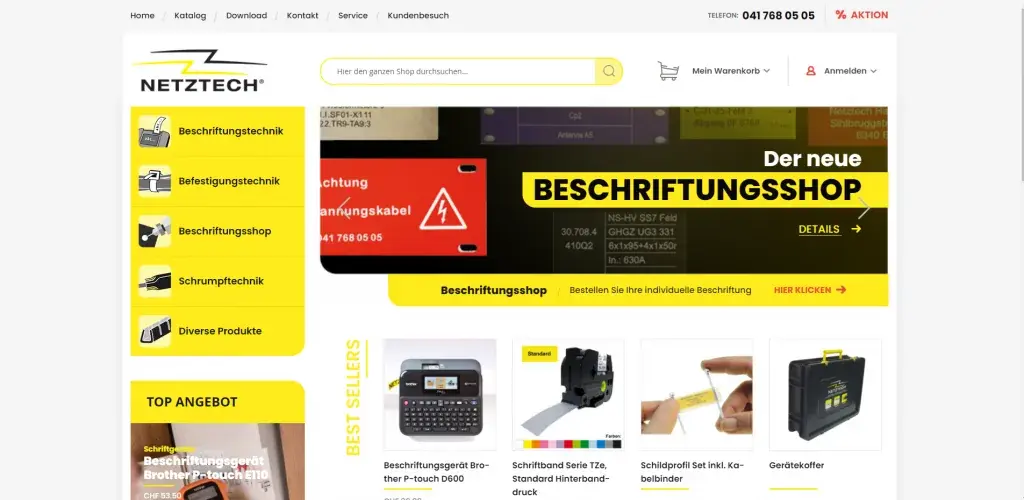
Netbase JSC delivered the migration remotely: all store data moved, 11 extensions rebuilt and a new design applied, finished in 35 working days.
Keep Reading
A US software company, not named, sells a multi-tenant cloud ERP as SaaS to small and mid-sized businesses.
Keep ReadingRelated services and solutions
 AI-ready cloud platform engineering for SaaS and commerce workloads
Netbase provides cloud platform engineering for SaaS and commerce teams that need a secure, repeatable home for their software and its AI features, on AWS, Google Cloud, DigitalOcean or Cloudflare. We design the architecture, write the environments as code, connect managed and AI services and hand over a platform your team can run, built the way we run ours.
Learn More
 AI-assisted cloud migration with a cut-over plan and a way back
Netbase provides cloud migration services for companies running business applications on ageing servers or hosting to move them to AWS, Google Cloud, DigitalOcean or Cloudflare without losing data or control. AI speeds up the code and dependency assessment; every migration still has an inventory, a rehearsed cut-over, cost controls from day one and a tested rollback point.
Learn More  AI-assisted DevOps and platform engineering for routine releases
Netbase provides DevOps and platform engineering for SaaS and commerce teams to make releases routine instead of risky. We set up CI/CD pipelines, repeatable environments and observability on AWS, Google Cloud, DigitalOcean or Cloudflare, with AI assistance for tests, reviews and incident triage, so every change ships the same way and problems surface before customers notice.
Learn More  SaaS product accelerator: launch an AI-ready SaaS on proven Netbase modules
A SaaS product accelerator is a set of reusable Netbase modules for accounts, billing, roles and integrations that helps founders and product teams launch subscription software faster, with room for in-product AI from the first release. Reusing these modules can shorten development time, and the approach is proven on Printcart, Netbase's own web-to-print SaaS.
Learn More Related insights

A DevOps maturity assessment is credible only when every level is backed by an artefact a reviewer can open. This Netbase scorecard rates fifteen practices across delivery, reliability and security on four levels, names the evidence each level needs, and caps the overall score at the weakest area so a fast pipeline cannot hide weak recovery or security.

Observability stack design with OpenTelemetry: what to instrument first and how to cap telemetry cost
Design an observability stack by instrumenting in order: request metrics first, then structured logs that carry trace IDs, then traces on the revenue path, then business events, with profiling last. Netbase routes every signal through OpenTelemetry and a Collector, and sets sampling, cardinality and retention rules before the first bill arrives.

Savings plans, reserved instances and committed use discounts: how much cloud usage to commit
Commit only the cloud usage you are sure of: cover the stable floor of the bill with commitment discounts, add more as the baseline proves itself, and leave the variable top on demand. Netbase sets the level by usage stability, matching resource-based reservations to locked workloads and spend-based savings plans to workloads that still change.
Work with Netbase remotely
Every Netbase engagement is delivered remotely, so clients in any country and any industry can work with us; Netbase has worked with clients in 80 countries. Contracts and invoices are issued by Netbase JSC, and payment is made by bank transfer to Netbase JSC's company account or PayPal Business. Talk to the CEO, Huy Nguyen (David), on WhatsApp or by email.
Discuss a project
Netbase JSC helps organizations design, build, modernize, and operate digital products and AI-enabled business systems.project@netbasejsc.com
+84 937 869 689
91 Nguyen Chi Thanh, Dong Da, Hanoi, Vietnam
Get in touch
Tell us what you want to build, modernize, or operate.