

AI auto-nesting for DTF gang sheets in a web-to-print store: upload checks, packing and print-ready export
A web-to-print store can sell customer-built DTF gang sheets safely when rules block bad uploads, a deterministic packer nests the designs with a fixed cut gap, AI only cleans up and suggests, and a person releases unusual sheets. This Netbase guide maps each step, its owner and the export the printer needs.
Book a solution review See the related solutionBy Huy Nguyen (David), Founder & CEO · Updated · 11 min read

It is for print businesses that sell direct-to-film (DTF) transfers online and the production leads who receive the sheets. It sits under the web-to-print platform guide; the build itself is part of Netbase's e-commerce development service.
In this guide
- What is a DTF gang sheet, and why does packing matter?
- Which upload checks should block a gang-sheet order?
- Who owns each step: rule, AI or person?
- What must the print-ready export contain?
- How to build a gang-sheet builder into the store
- Where AI fits
- What delivery record exists, and what does not?
- Alternatives: how to get gang sheets to the printer
- When should you not automate gang-sheet nesting?
- What are the limits of this guide?
- Frequently asked questions
- Next step
What is a DTF gang sheet, and why does packing matter?
A DTF gang sheet is one length of transfer film carrying many designs, printed in a single pass and cut apart after pressing. The roll has a fixed width, so the sheet's length is the cost driver: every centimetre of empty film is ink, powder and press time the shop pays for and the customer may not.
Customers who order gang sheets usually upload a mix of logos, names and artwork at different sizes and copy counts. Placing them by hand is slow and inconsistent. Auto-nesting places them by software so the sheet comes out as short as possible while keeping a safe gap between pieces.
Packing is also a genuinely hard problem. Arranging rectangles in a strip of fixed width while minimising its length is the strip packing problem, which is strongly NP-hard. A builder therefore uses a heuristic that is good and fast, not a proof of the shortest sheet. That matters when a vendor claims a "perfect" layout: no tool can promise one for every order.
Which upload checks should block a gang-sheet order?
Upload checks decide whether a file is printable before any packing happens. Five checks recur in DTF stores, and each can be measured by a rule.
-
Resolution at print size
- What a rule measures
- Effective pixels per inch at the size the customer chose
- What happens on failure
- Flag the piece and show the largest size that passes, or block below a floor
-
Transparency
- What a rule measures
- Whether the file has a real alpha channel, not a white or checkered background
- What happens on failure
- Block, or offer background removal as a suggestion the customer must accept
-
Edge quality
- What a rule measures
- Semi-transparent halos and stray pixels around the subject
- What happens on failure
- Warn, because soft edges print as a faint fringe on dark garments
-
Size limits
- What a rule measures
- Piece width against the roll width minus margins
- What happens on failure
- Block, or offer a scaled-down size
-
File type and colour
- What a rule measures
- Accepted formats and colour mode
- What happens on failure
- Convert where safe, otherwise block with a plain reason
One builder vendor describes the resolution check this way: every raster piece shows its resolution at its current size, live, and a piece below the shop's floor is flagged with the largest size that would pass. That is a rule, not AI, and it should stay one.
The general principle comes from preflight: a check that can measure a failure should block it, and an automated fix the customer has not seen should not ship. The AI preflight guide covers single-file checks and escalation rules in more depth.
Who owns each step: rule, AI or person?
The matrix assigns each gang-sheet step to the cheapest reliable owner. A rule measures; AI suggests; a person approves what neither can judge.
| Step | Rule or packer | AI suggestion | Person |
|---|---|---|---|
| Upload checks | Resolution, size, format and alpha checks block or warn | None needed | Customer accepts a resize or a warning |
| Background and edges | Detect a missing alpha channel | Remove a background, clean a halo, upscale a small file | Customer approves the result on the preview |
| Packing | Deterministic nester with fixed gap, margin and rotation settings | Suggest grouping by order or garment, or a size that saves film | Customer sees the sheet before checkout |
| Cut gap and margins | Server-side validation that no piece sits inside the gap | None: this must never be a model's call | Production lead sets the values once |
| White underbase and choke | Generated from transparency with a fixed choke | None needed | Production lead approves the preset per printer |
| Export | Mirrored, correctly sized file for the RIP | None | Operator releases flagged or unusual sheets |
Three operating rules follow. The packer, not a model, places pieces, because placement must be repeatable and explainable when a sheet is reprinted. The gap is validated on the server, so a customer's drag on the canvas cannot move two pieces inside the cutting gap. And every AI change to a customer's artwork is shown on the preview before checkout.
What must the print-ready export contain?
The export is the file the RIP and printer receive, and it fails quietly if any part is wrong. A DTF export typically needs four things: the colour artwork, a white layer, the correct orientation and the exact sheet size.
The white layer sits under the colour on dark garments. Many RIPs build it from the transparency in the file; others take it as a separate channel. NestSheet, an in-house prepress tool, writes a mirrored 300 dpi TIFF with CMYK colour and one white channel, and offers a choke of 0, 1 or 2 pixels that pulls the white edge inside the colour so it does not show.
Builders that plug into a store more often export a transparent PNG at 300 dpi, which most RIPs accept, or a print-ready PDF. Whatever the format, the store must agree it with the production team once, per printer and RIP, and test a real sheet before launch. Roll width is a setting, not a constant: NestSheet notes that a 22-inch roll is 558.8 mm and a 24-inch roll 609.6 mm.
For stores that need the export generated from web orders to a fixed specification, Web2Print Solutions, a Netbase brand, offers print-ready PDF and prepress automation with automated preflight.
How to build a gang-sheet builder into the store
-
Fix the production presets first
Record roll widths, maximum sheet length, gap, margin, rotation policy, white-layer method and export format for each printer and RIP before any interface work.
-
Write the upload rules
Turn the five checks into blocking and warning rules with plain-language messages and a suggested fix for each.
-
Choose the packer
Use a proven rectangle-packing heuristic with the presets as hard constraints; test it on a set of real past orders and compare sheet length with what prepress produced by hand.
-
Add AI clean-up as opt-in
Offer background removal, edge clean-up and upscaling as suggestions the customer previews and accepts, never as silent changes.
-
Validate on the server
Re-run the size, gap and resolution rules on the server at checkout, so the browser canvas is never the only check.
-
Generate the export per order
Build the production file and a production summary per order, and tie each sheet to its order lines for reprints.
-
Route exceptions to a person
Send sheets with warnings, unusual sizes or AI-changed artwork to an operator queue before printing; the production routing guide covers how such queues feed scheduling.
Where AI fits
AI's job in a gang-sheet builder is preparing artwork and suggesting options, not placing pieces or approving files. A vision model can remove a background, clean a soft edge or upscale a small logo so it passes the resolution rule, and a model can suggest grouping pieces by garment or size. Engineers still own the packer, the gap validation, the white layer and the export, because those must be deterministic and repeatable. Netbase works with the major commercial and open-source AI tools and models, chosen per project, and the one delivered AI feature named with a client is 4over4's product-recommendation engine, which is unrelated to nesting.
Customer artwork passes through any model used for clean-up, so agree which AI services may process it and that it is not used to train third-party models.
- Available capability
AI artwork clean-up and packing suggestions for DTF gang sheets
Background removal, edge clean-up and upscaling offered as previewed suggestions next to a deterministic packer; not yet tied to a published gang-sheet case.
- In delivered work
Document AI platform
For a client (not named), Netbase delivered document AI; it shows how Netbase puts AI output under human review, and it is not a print nesting feature.
What delivery record exists, and what does not?
Netbase has delivered more than 50 custom web-to-print platforms, listed on its web-to-print platform solution page. Three records touch the steps in this guide.
For ACT Printing, a custom apparel and print shop, Netbase (through CMSmart and Printcart) built a guided apparel ordering flow with print location zones, location-bound artwork upload and preview, structured order data and a production summary per order for staff. AI and third-party integrations are planned for a later phase; they are not delivered.
For a large-format print store in Singapore (client not named), Netbase (through CMSmart) built PDF artwork upload into the online designer, with each page converted to an editable high-resolution image and a pop-up warning about low-resolution uploads. For an online print service (client not named), Netbase added a remove-background tool for uploaded photos inside the online designer.
What does not exist: no Netbase record yet shows a delivered DTF gang-sheet nester, and no record states a measured result for film saved, reprints or prepress time. Most Netbase projects are delivered on fixed-price contracts, with scope set after discovery.
Alternatives: how to get gang sheets to the printer
Choose by order volume, how varied the uploads are and how much the store must fit an existing workflow.
| Option | Strength | Risk | Choose it when |
|---|---|---|---|
| Manual prepress | Expert placement and full control per sheet | Slow; cost grows with every order | A few sheets a day, or highly varied artwork |
| Customer places pieces on a fixed sheet | Simple to build; no packer to maintain | Wasted film and pieces inside the gap unless validated | A small catalogue of fixed sheet sizes |
| Store app or plugin builder | Fast to launch; packing and export included | Presets, checks and data model are the vendor's | The store runs on a supported platform and the defaults fit production |
| Custom builder in the store | Presets, rules and exports match the shop's printers and order data | More build and test effort | Several printers or RIPs, B2B accounts or an order flow an app cannot model |
When should you not automate gang-sheet nesting?
Do not automate when the store sells only a few fixed sheet sizes with pre-placed designs, because a packer adds nothing. Do not let automation release sheets to print while the production presets are still changing, since every export would need checking anyway. And keep a person in the loop for large or unusual orders, such as full-length sheets for one customer, until real reprint data shows the rules hold.
What are the limits of this guide?
- It covers customer-built DTF gang sheets in a web-to-print store, not RIP settings, ink profiles or curing.
- It is not a comparison of named builder products; vendor pages are cited only for how the steps work.
Plan the next step with a Netbase consultant
Frequently asked questions
It should not. A deterministic packer places pieces using the roll width, gap and margin as fixed rules, so a sheet can be reproduced for a reprint. AI is better used for background removal, edge clean-up and upscaling that the customer previews and accepts.
Packing does not change pixels. A builder must check the effective resolution of every piece at its chosen print size, warn or block below a floor, and show the largest size that would pass.
The file the shop's RIP expects, agreed once per printer: often a 300 dpi transparent PNG or a print-ready PDF, or a mirrored TIFF with a separate white channel. Test a real printed sheet before launch.
Next step
Tell us which printers and RIPs you run and how customers order gang sheets today, and we will book a solution review to decide which checks to automate, which packer to use and where a person must stay in the loop. The printing and packaging page covers the industry view.
Work behind this guide

ACT Printing's customers order printed hoodies, tees and sweatshirts in several colours, sizes and print locations in one guided flow, and every order reaches production as structured data with its artwork. Netbase delivered the flow for the custom apparel and print shop remotely through its CMSmart and Printcart divisions; the client's country is not published.
Keep Reading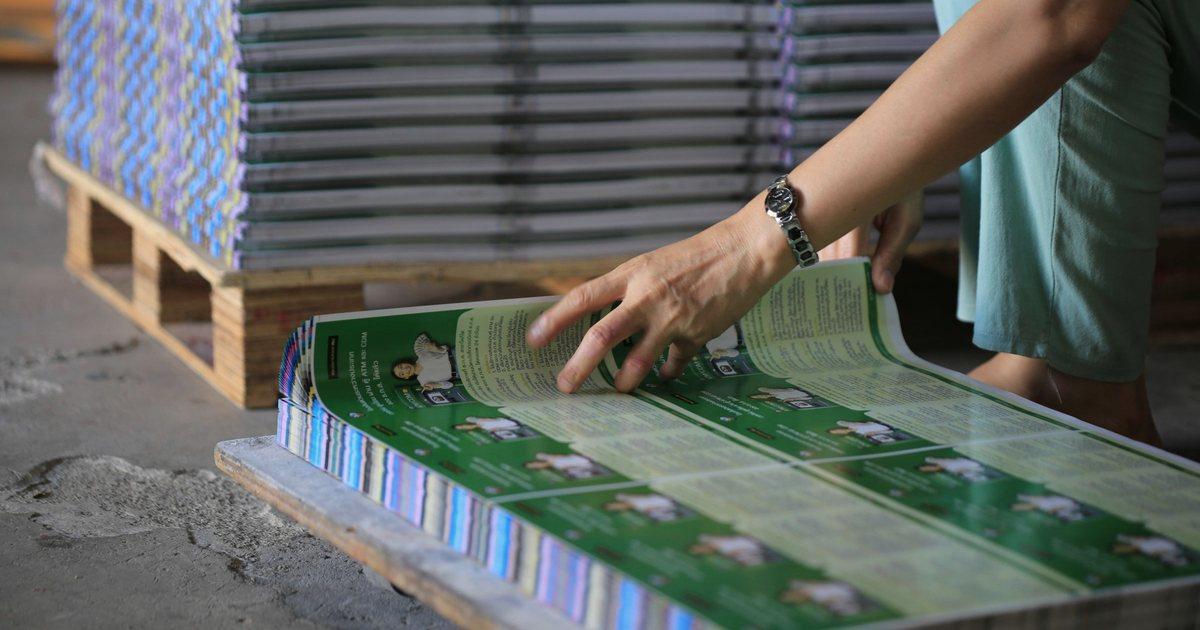
Netbase, through its CMSmart division, rebuilt the site remotely over several phases with its own interface, workflow and custom functions, including PDF artwork that shoppers edit inside the online designer.
Keep ReadingRelated services and solutions
 AI-enabled ecommerce development for merchants who outgrew templates
Netbase provides custom ecommerce development for merchants that have outgrown templates, to turn traffic into orders with less manual work, using AI for search, recommendations and catalog work where it pays. We build on WooCommerce, Magento 2, Laravel and headless stacks; 4over4, whose store gained an AI recommendation engine, reported 82% more revenue within six months.
Learn More
 Web-to-print platform with AI design assistance, from online design to a print-ready order
A web-to-print platform is an online ordering, design and prepress workflow that helps print businesses sell custom products: customers configure, design and approve their order online, AI can suggest layouts and catch artwork problems, and production receives a print-ready file. Netbase has delivered 50+ custom web-to-print platforms across apparel, packaging, signage, promotional merchandise and corporate B2B portals.
Learn More Related insights

A web-to-print implementation succeeds when ten things are settled before launch: products and pricing, the online designer, previews, print-ready files, checkout, speed, integrations, ownership, accessibility and a recorded baseline. This checklist turns each one into a decision with an owner and a test, drawn from Netbase's delivered print projects.
Web-to-print software: architecture, AI design assistance, build vs buy, and ROI
Web-to-print software must do four jobs: sell print products with rule-based pricing, let buyers design online, turn every design into a print-ready file, and pass the order to your MIS or ERP. AI assists design and repairs rough uploads. Buy when a product fits your workflow, build when the workflow is your edge, and measure ROI against a baseline.

Web-to-print customer stories: what print businesses asked for, and where AI fits
Print businesses rarely need a whole new platform. Customers of Netbase's CMSmart division, from label and invitation printers to a Singapore large-format printer, mostly started with a packaged print store or online designer and asked for the few changes their orders depended on. This guide groups those stories by use case and shows where AI fits today.

Online design editor for print: buy it, extend it or build it
Buy a proven online design editor when your products are standard and your advantage lies elsewhere. Extend a bought editor when you need a few tools it lacks, such as a page preview bar or a background picker. Build your own only when the editor itself is why buyers choose you and you can fund its upkeep for years.
Work with Netbase remotely
Every Netbase engagement is delivered remotely, so clients in any country and any industry can work with us; Netbase has worked with clients in 80 countries. Contracts and invoices are issued by Netbase JSC, and payment is made by bank transfer to Netbase JSC's company account or PayPal Business. Talk to the CEO, Huy Nguyen (David), on WhatsApp or by email.
Discuss a project
Netbase JSC helps organizations design, build, modernize, and operate digital products and AI-enabled business systems.project@netbasejsc.com
+84 937 869 689
91 Nguyen Chi Thanh, Dong Da, Hanoi, Vietnam
Get in touch
Tell us what you want to build, modernize, or operate.